
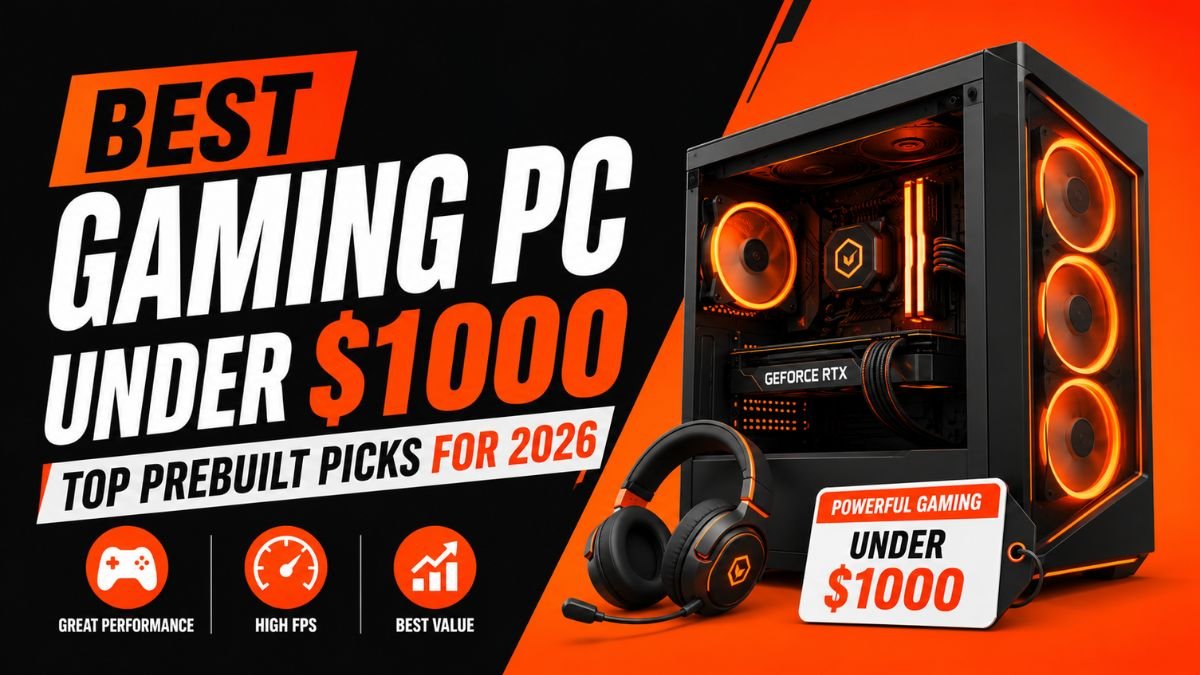
Looking for the best gaming PC under $1000? You can get excellent gaming performance without spending a fortune. Modern budget gaming desktops now come with powerful processors, fast SSD storage, dedicated graphics cards, and enough memory to handle today’s most popular games. Whether you enjoy competitive esports titles, immersive AAA adventures, or even streaming your gameplay, a well-chosen prebuilt desktop computer can deliver outstanding value. This guide compares the best options available, explains what hardware matters most, and helps you choose a system that fits your gaming style while leaving room for future upgrades.
Why A $1000 Budget Is The Sweet Spot For Gaming PCs
A budget of around one thousand dollars offers one of the best price-to-performance ratios in the gaming PC market. Spending less often means making major compromises, while spending more usually brings smaller performance gains for casual players. This price range gives buyers access to modern processors such as the Intel Core i5, Intel Core i7, AMD Ryzen 5, and AMD Ryzen 7, paired with capable graphics cards like the NVIDIA GeForce RTX 4060 or AMD Radeon RX 7600.
Many gamers worry that a budget gaming desktop cannot keep up with modern games. That is no longer true. Hardware has become more efficient, allowing manufacturers to build systems that easily handle 1080p gaming at high or ultra settings. Many models even deliver smooth gameplay at 1440p in demanding titles by adjusting a few graphics options.
Another reason this budget stands out is upgrade flexibility. A quality prebuilt desktop computer usually includes extra memory slots, additional storage bays, and a power supply capable of supporting future graphics card upgrades. Instead of replacing the entire computer after a few years, you can upgrade individual components as your needs grow.
Imagine you are halfway through a ranked Valorant match when every frame matters. A weak system can introduce lag and inconsistent frame rates, making precise aiming difficult. A well-balanced gaming PC in this price range provides stable performance that helps maintain smooth gameplay during competitive moments.
What Performance Can You Expect?
Most gaming PCs under one thousand dollars are built for high refresh rate gaming at 1080p. Popular esports games such as Valorant, Counter-Strike 2, Fortnite, Rocket League, and Overwatch 2 often exceed 144 FPS when paired with the right monitor. Competitive players benefit from smoother animations and lower input delay, creating a better overall gaming experience.
AAA games demand more graphics power, but today’s hardware performs surprisingly well. A system featuring an RTX 4060 or Radeon RX 7600 can comfortably run titles like Cyberpunk 2077, Elden Ring, Red Dead Redemption 2, and Black Myth Wukong with high settings while maintaining enjoyable frame rates.
Content creators also benefit from these systems. Modern CPUs provide enough cores for video editing, multitasking, and streaming without slowing down gameplay. Many NVIDIA graphics cards include dedicated video encoding hardware, reducing the impact on gaming performance while broadcasting live.
Who Should Buy A $1000 Gaming PC?
This price range is ideal for gamers who want excellent value without paying premium prices. Students, first-time PC gamers, and anyone upgrading from an older computer will notice a significant jump in performance.
Competitive players appreciate the higher frame rates that improve reaction time during fast-paced matches. Content creators can edit videos, stream gameplay, and manage multiple applications thanks to the additional processing power found in today’s Intel and AMD processors.
Families also benefit from these computers because they can handle more than gaming. Homework, office work, photo editing, and entertainment all run smoothly on modern gaming hardware. Instead of buying separate devices, one desktop can serve several purposes.
Buyers planning to keep their computer for several years should focus on upgrade-friendly models. Choosing expandable memory and extra storage ensures the system continues meeting future gaming demands without requiring a complete replacement.
Prebuilt Vs Custom Build: Which Offers Better Value?
Building your own PC has long been considered the best way to maximize value. You choose every component, control the budget, and understand exactly how the system works. Experienced builders often enjoy selecting each part and assembling everything themselves.
A prebuilt desktop computer, however, has become much more attractive in recent years. Manufacturers now offer competitive pricing, professional cable management, tested hardware compatibility, and complete warranties. For many buyers, the convenience outweighs the small savings of building from scratch.
Another advantage is setup time. A custom PC requires research, assembly, operating system installation, and troubleshooting. A prebuilt system arrives ready to use. Connect your monitor, install your favorite games, update drivers, and start playing.
If you are buying your first gaming PC, a quality prebuilt system is often the safer choice. It reduces the risk of compatibility problems while still allowing future upgrades as your experience grows.
Expected Gaming Performance In 1080P, 1440P, And Entry Level 4K
Gaming performance depends on both the graphics card and processor, but modern hardware offers impressive results within this budget.
At 1080p, most games run comfortably using high or ultra settings. Competitive titles often exceed 144 FPS, making them perfect for high refresh rate monitors.
Moving to 1440p, systems equipped with an RTX 4060 or Radeon RX 7600 continue delivering excellent results. Most modern games remain smooth using high graphics settings with only minor adjustments for demanding titles.
Entry-level 4K gaming is also possible, although some settings may need to be lowered to maintain smooth frame rates. Technologies such as DLSS on NVIDIA cards help increase performance while preserving image quality, making higher resolutions more accessible than ever before.
Gaming technology continues to improve every year, but a carefully selected gaming PC under one thousand dollars already provides enough power for today’s most popular games and offers a solid foundation for future hardware upgrades.
Quick Comparison Table Of The Best Gaming PCs Under $1000
| Gaming PC | CPU | GPU | RAM | Storage | Upgradeability | Best For | Pros | Cons | Price Range |
| Skytech Gaming Nebula | AMD Ryzen 5 5600 | GeForce RTX 4060 | 16GB DDR4 | 1TB NVMe SSD | Excellent | Overall Gaming | Great 1080p and 1440p performance, clean airflow | Basic RGB controls | $900 to $999 |
| CyberPowerPC Gamer Xtreme | Intel Core i5 14400F | GeForce RTX 4060 | 16GB DDR5 | 1TB NVMe SSD | Very Good | Value Buyers | Latest Intel platform, DDR5 memory | Limited case space | $950 to $1000 |
| MSI Codex R | Intel Core i5 | GeForce RTX 4060 | 16GB DDR5 | 1TB SSD | Excellent | RTX Gaming | Reliable cooling, strong ray tracing | Slightly higher price | Around $999 |
| iBUYPOWER TraceMesh | AMD Ryzen 7 | Radeon RX 7600 | 16GB DDR5 | 1TB NVMe SSD | Very Good | AMD Fans | Strong processor, quiet cooling | Ray tracing trails NVIDIA | $900 to $980 |
| ACEMAGIC Mini Gaming PC | AMD Ryzen 7 | Radeon Graphics | 32GB DDR5 | 1TB SSD | Moderate | Small Spaces | Compact design, low power draw | Not built for demanding AAA games | $600 to $800 |
Best Gaming PCs Under $1000
Why It Is Our Top Recommendation
Skytech Gaming continues to be one of the most trusted names for affordable gaming desktops. The Nebula combines a modern AMD Ryzen 5 processor with the NVIDIA GeForce RTX 4060, creating a balanced system that performs well in almost every gaming scenario.
Many budget gaming desktops focus heavily on either the processor or graphics card. Skytech avoids that mistake by delivering balanced hardware. That means fewer bottlenecks and more consistent frame rates across different game genres.
Airflow is another strength. Large intake fans keep temperatures under control even during long gaming sessions. Better cooling helps maintain boost clocks, allowing the graphics card and processor to perform at their best.
Ideal Gamers
This PC is ideal for players who enjoy a mix of competitive games and demanding AAA titles. It also suits students who need a desktop for school during the day and gaming at night.
Key Specifications
- AMD Ryzen 5 Processor
- NVIDIA GeForce RTX 4060
- 16GB DDR4 RAM
- 1TB NVMe SSD
- Windows 11
- RGB Lighting
Pros
- Excellent gaming performance
- Strong airflow
- Fast loading speeds
- Easy to upgrade
- Quiet under load
Cons
- DDR4 memory instead of DDR5
- Entry-level keyboard and mouse
Final Verdict
For most gamers, Skytech Gaming Nebula offers the best balance between price, graphics performance, cooling, and future upgrades. It remains one of the safest recommendations under this budget.
CyberPowerPC Gamer Xtreme
Performance Overview
CyberPowerPC has built a strong reputation by delivering reliable gaming computers at competitive prices. Gamer Xtreme is designed for players who want modern hardware without stretching beyond their budget.
Its Intel Core i5 processor pairs perfectly with the RTX 4060. This combination handles both gaming and productivity with ease. Whether you are editing videos, streaming on Twitch, or playing modern shooters, performance remains smooth.
Boot times are also impressive thanks to the included NVMe SSD. Games load quickly, Windows feels responsive, and multitasking becomes much easier compared to traditional hard drives.
FPS Benchmarks
Average gaming performance at 1080p High Settings:
- Valorant: 350 plus FPS
- Counter-Strike 2: 260 plus FPS
- Fortnite: 170 plus FPS
- Apex Legends: 160 plus FPS
- Overwatch 2: 220 plus FPS
Most AAA games comfortably exceed 80 FPS using High settings, while enabling DLSS can provide an additional performance boost.
Upgrade Potential
CyberPowerPC uses standard desktop components instead of proprietary hardware. That makes future upgrades much easier.
Owners can install additional SSD storage, increase memory to 32GB or even 64GB, or replace the graphics card several years later without rebuilding the entire computer.
Pros
- Latest Intel architecture
- Excellent 1080p performance
- Fast DDR5 memory
- Good upgrade options
- Reliable customer support
Cons
- Basic case design
- Cooling can become louder during extended gaming sessions
MSI Codex R
Ray Tracing Performance
If visual quality matters just as much as frame rates, the MSI Codex R deserves serious attention. Equipped with the NVIDIA GeForce RTX 4060, it delivers excellent lighting effects through real-time ray tracing while maintaining smooth gameplay using DLSS.
Games like Cyberpunk 2077, Alan Wake 2, and Black Myth Wukong benefit from NVIDIA’s AI-powered technologies, producing more realistic reflections, shadows, and lighting without sacrificing too much performance.
DLSS Support
DLSS uses artificial intelligence to generate higher frame rates while preserving sharp image quality. This technology gives the RTX 4060 an advantage in demanding games where every additional frame improves responsiveness.
Best Games To Play
MSI Codex R performs exceptionally well in:
- Cyberpunk 2077
- Black Myth Wukong
- Hogwarts Legacy
- Red Dead Redemption 2
- Call of Duty
- Fortnite
- Apex Legends
Pros
- Excellent ray tracing performance
- DLSS improves frame rates
- Strong cooling system
- Premium build quality
Cons
- Usually priced near the upper end of the budget
- RGB software takes time to learn
Final Verdict
Gamers who prioritize graphics quality and realistic lighting will appreciate what MSI Codex R offers. It is one of the strongest RTX-powered gaming desktops available below one thousand dollars.
BUYPOWER TraceMesh
Ryzen Advantages
AMD Ryzen processors continue to impress with their excellent balance between gaming and productivity. The Ryzen 7 inside the TraceMesh offers additional cores that help during streaming, video editing, and heavy multitasking.
Imagine recording gameplay while chatting on Discord, browsing strategy guides, and streaming music in the background. A Ryzen 7 processor handles these tasks comfortably without slowing down your game.
Gaming Performance
Paired with the Radeon RX 7600, this desktop delivers excellent 1080p gaming performance and very capable 1440p gameplay in many titles.
Average frame rates include:
- Fortnite around 180 FPS
- Valorant above 300 FPS
- Apex Legends around 170 FPS
- Elden Ring over 90 FPS
- Red Dead Redemption 2 around 85 FPS
Graphics quality remains impressive while AMD’s software offers useful features such as Radeon Super Resolution for extra performance.
Productivity Capabilities
Content creators benefit from the additional processor cores. Editing videos, rendering projects, and running multiple applications feel smooth, making this desktop suitable for work as well as gaming.
Pros
- Powerful Ryzen processor
- Excellent multitasking
- Quiet cooling
- Strong gaming performance
- Good value
Cons
- Ray tracing performance is behind the RTX 4060
- AMD software requires occasional driver updates
Final Verdict
If you prefer AMD hardware or need a computer that performs equally well for gaming and productivity, iBUYPOWER TraceMesh offers outstanding value under the one-thousand-dollar budget.
ACEMAGIC Mini Gaming PC
Space-Saving Design
Not every gamer has room for a large desktop tower. If you have a small desk, live in a dorm, or simply prefer a clean setup, the ACEMAGIC Mini Gaming PC is worth considering. Its compact design takes up very little space while still delivering solid everyday gaming performance.
Although it is much smaller than a traditional gaming tower, this mini desktop includes modern hardware capable of handling esports titles, light content creation, and daily productivity. It also uses less power than many full-size systems, making it a practical choice for users who leave their PC running for long periods.
Its minimalist appearance blends easily into any workspace. You can place it beside your monitor or mount it behind a display to create a clutter-free setup.
Cooling Performance
Small computers often struggle with heat, but ACEMAGIC uses an efficient cooling system that keeps temperatures under control during long gaming sessions. Intelligent fan management helps reduce noise while maintaining stable processor performance.
This system performs best with esports games and less demanding AAA titles. Players looking for maximum graphics settings in the latest releases should consider a larger desktop with a dedicated graphics card.
Portability
One major advantage is portability. You can easily move the system between rooms or even take it to a friend’s house for a gaming weekend. Despite its small footprint, it offers plenty of USB ports, HDMI outputs, WiFi, and Bluetooth connectivity.
Pros
- Extremely compact
- Energy efficient
- Quiet operation
- Easy to transport
- Modern connectivity
Cons
- Limited upgrade options
- Not designed for demanding AAA gaming
- Smaller cooling system than full towers
Final Verdict
The ACEMAGIC Mini Gaming PC is an excellent choice for casual gamers, students, and anyone with limited desk space. While it cannot match the graphics performance of larger RTX-based systems, it delivers impressive value in a compact package.
Best Gaming PC For Streaming And Content Creation
Gaming and content creation often go hand in hand. Whether you stream on Twitch, upload videos to YouTube, or edit gameplay highlights, your computer needs enough processing power to handle multiple tasks at once.
For this reason, systems powered by an AMD Ryzen 7 or Intel Core i7 processor stand out. These CPUs feature additional cores that improve multitasking without reducing gaming performance. Pair one with an NVIDIA GeForce RTX 4060, and you gain access to NVIDIA’s dedicated hardware encoder, allowing smoother streaming with minimal impact on frame rates.
Imagine you are playing Fortnite while streaming live, recording your gameplay, chatting with viewers, and running Discord in the background. A well-balanced gaming PC keeps everything responsive, preventing frame drops and stuttering that could ruin your broadcast.
Another benefit is fast storage. A 1TB NVMe SSD loads editing software quickly and reduces waiting times when transferring large video files. Combined with at least 16GB of memory, the system remains responsive even during demanding editing sessions.
Streaming Benchmarks
Average streaming performance with an RTX 4060:
| Task | Performance |
| 1080p Twitch Streaming | Excellent |
| YouTube Recording | Excellent |
| OBS Multitasking | Smooth |
| Video Editing | Very Good |
| Live Gameplay | Stable |
Encoding Support
Modern NVIDIA graphics cards include the latest NVENC encoder, while AMD Radeon GPUs offer AV1 encoding support on newer hardware. Both technologies reduce processor usage during streaming, allowing more resources to remain available for your games.
Pros
- Excellent multitasking
- Smooth live streaming
- Fast video rendering
- Great for creators
- Reliable gaming performance
Cons
- Higher processor temperatures during rendering
- Additional storage may be needed for large video projects
Final Verdict
If you divide your time between gaming and content creation, investing in a Ryzen 7 or Core i7 system with an RTX 4060 provides outstanding long-term value.
Best Upgrade Friendly Gaming PC
Buying a gaming PC is not just about today’s performance. Smart buyers also consider how easily the system can be upgraded in the future. A desktop with a standard ATX motherboard, quality power supply, and spacious case gives you far more flexibility than one built with proprietary parts. Several prebuilt gaming desktops now use industry-standard components, making upgrades much simpler.
One of the most important features is the power supply. Choosing a system with a reliable 650W or 750W PSU allows future graphics card upgrades without replacing the entire power unit. Quality power supplies also improve long-term reliability. Memory expansion is another consideration. While 16GB remains enough for most games today, future titles may benefit from 32GB. Systems with four memory slots allow inexpensive upgrades later.
Storage should also be expandable. Many prebuilt desktops include additional M.2 slots or SATA ports for installing another SSD as your game library grows.
Future Upgrade Recommendations
- Increase RAM from 16GB to 32GB
- Add another 1TB NVMe SSD
- Upgrade to a future GeForce RTX 5060 or similar GPU
- Install a larger CPU cooler
- Replace stock fans with quieter high-airflow models
PSU Quality
Never overlook the importance of a quality power supply. A certified 80 Plus Bronze or Gold PSU delivers cleaner, more stable power and protects expensive components during heavy gaming sessions.
Final Verdict
Upgrade-friendly gaming PCs save money over time because you replace individual components instead of buying an entirely new desktop every few years.
Gaming Performance Benchmarks
Performance numbers vary slightly depending on game updates and graphics settings, but modern gaming PCs under one thousand dollars consistently deliver excellent results.
FPS At 1080P Ultra Settings
| Game | Average FPS |
| Valorant | 350+ |
| Counter-Strike 2 | 280+ |
| Fortnite | 180+ |
| Apex Legends | 170+ |
| Overwatch 2 | 220+ |
| Cyberpunk 2077 | 90+ |
| Red Dead Redemption 2 | 95+ |
FPS At 1440P High Settings
| Game | Average FPS |
| Valorant | 250+ |
| Counter-Strike 2 | 200+ |
| Fortnite | 140+ |
| Apex Legends | 130+ |
| Cyberpunk 2077 | 70+ |
| Elden Ring | 90+ |
Ray Tracing Performance
Ray tracing creates more realistic lighting, reflections, and shadows. The RTX 4060 performs particularly well thanks to DLSS, allowing many modern games to maintain smooth frame rates while using advanced visual effects.
Players who enjoy cinematic single-player games will notice richer environments and improved image quality without sacrificing too much performance.
Buying Guide: How To Choose The Best Gaming PC Under $1000
Choosing the right gaming PC involves more than comparing graphics cards. A balanced system delivers better long-term value than one with a powerful GPU paired with weaker supporting components.
Choose The Right CPU
For gaming, an Intel Core i5 or AMD Ryzen 5 offers excellent value. If you also edit videos, stream, or multitask heavily, stepping up to an Intel Core i7 or AMD Ryzen 7 provides additional processing power.
Choose The Right Graphics Card
The graphics card has the biggest impact on gaming performance.
RTX 4060
- Excellent ray tracing
- DLSS support
- Outstanding 1080p gaming
- Strong 1440p performance
Radeon RX 7600
- Excellent value
- Strong rasterized graphics
- Great esports performance
- Competitive 1080p gaming
How Much RAM Do You Need?
Most gamers will be satisfied with 16GB of RAM today. If your budget allows, 32GB offers additional headroom for streaming, video editing, and future games.
Storage Considerations
Always choose an NVMe SSD whenever possible. It delivers significantly faster boot times, quicker game loading, and a much more responsive Windows experience than older SATA drives or hard disks.
Cooling System
A well-designed airflow layout keeps temperatures lower and helps components maintain peak performance. Good cooling also reduces fan noise during long gaming sessions.
Motherboard And Upgradeability
Look for systems with additional RAM slots, multiple M.2 SSD connectors, WiFi support, Bluetooth, and PCIe expansion. These features make future upgrades easier and extend the lifespan of your investment.
Best Gaming PC Specifications Under $1000
Choosing the right specifications is just as important as selecting the right brand. A balanced system delivers smoother gameplay, better multitasking, and a longer upgrade path. Spending your budget wisely on the processor, graphics card, memory, and storage will have a greater impact than paying extra for cosmetic features.
Ideal CPU
For most gamers, the Intel Core i5 or AMD Ryzen 5 provides the best balance of price and performance. Both processors can handle modern games, everyday productivity, and light content creation with ease.
If you plan to stream regularly, edit videos, or keep your PC for several years, stepping up to an Intel Core i7 or AMD Ryzen 7 offers additional cores that improve multitasking and future-proof your system.
Ideal GPU
A dedicated graphics card is the heart of every gaming PC.
Recommended options include:
- NVIDIA GeForce RTX 4060
- AMD Radeon RX 7600
- NVIDIA GeForce RTX 5060 if available within budget
These GPUs deliver excellent 1080p performance while also handling many games at 1440p with high settings.
Recommended RAM
Memory affects both gaming and multitasking.
- 16GB is the current sweet spot for gaming.
- 32GB is recommended for streaming, video editing, and future titles.
- DDR5 memory offers better bandwidth than DDR4, although DDR4 remains an excellent value.
Recommended Storage
Choose at least:
- 1TB NVMe SSD
- Additional M.2 slot for future expansion
Fast storage reduces loading screens and keeps Windows feeling responsive.
Recommended PSU
A quality 650W to 750W 80 Plus Bronze or Gold power supply provides stable power while leaving room for future graphics card upgrades.
Recommended Cooling
Good airflow extends hardware life.
Look for:
- Multiple intake fans
- One rear exhaust fan
- Mesh front panel
- Large CPU cooler
Recommended Motherboard
Choose a motherboard that supports:
- WiFi
- Bluetooth
- PCIe expansion
- Multiple M.2 SSD slots
- Four RAM slots
These features make future upgrades much easier.
Common Mistakes To Avoid When Buying A Gaming PC Under $1000
Many buyers focus only on the graphics card and overlook other important components. A balanced system almost always performs better than one with a powerful GPU paired with weak supporting hardware.
Paying Too Much For RGB
Fancy lighting looks impressive but does not improve gaming performance. Prioritize better hardware before spending extra money on appearance.
Buying An Older Graphics Card
Previous generation GPUs may seem like a bargain, but they often miss modern technologies such as DLSS, improved ray tracing, or newer video encoders.
Ignoring Upgradeability
A desktop with limited memory slots or a weak power supply may become difficult to upgrade later. Spending slightly more today can save hundreds of dollars in the future.
Choosing A Weak Power Supply
Cheap power supplies can reduce reliability and limit future graphics card upgrades. Always choose systems with trusted power supplies and recognized efficiency certifications.
Overlooking Cooling Performance
High temperatures reduce boost clocks and increase fan noise. A well-ventilated case helps maintain stable gaming performance over long sessions.
Buying Without Reading Warranty Terms
Good warranty coverage provides peace of mind. Reputable manufacturers also offer better customer support and replacement policies if problems occur.
How Long Will A $1000 Gaming PC Last?
A well-built gaming PC in this price range can remain relevant for five to seven years, depending on your gaming habits.
Competitive games such as Valorant, Counter-Strike 2, League of Legends, and Rocket League are generally less demanding. A modern RTX 4060 or Radeon RX 7600 should continue running these titles smoothly for years.
AAA games evolve more quickly. You may need to reduce graphics settings after several years, but gameplay will remain enjoyable with periodic hardware upgrades.
Future Proofing Tips
- Upgrade to 32GB RAM after a few years.
- Add more SSD storage as your game library grows.
- Keep graphics drivers updated.
- Clean dust regularly.
- Replace the graphics card when needed instead of replacing the entire PC.
Following this approach extends the life of your investment while reducing long-term costs.
Who Should Buy A Gaming PC Under $1000?
This budget suits a wide range of users.
Competitive Gamers
Players focused on esports games benefit from high frame rates and responsive gameplay.
Casual Players
If you mainly enjoy single-player adventures, racing games, or cooperative titles, this budget provides excellent visual quality without overspending.
Students
A gaming desktop can also handle assignments, online classes, research, and creative software, making it a practical all-around computer.
Streamers
Modern Intel Core i7 and AMD Ryzen 7 systems paired with RTX graphics deliver smooth streaming while maintaining strong in-game performance.
Content Creators
Video editing, graphic design, and photo editing all benefit from additional processor cores and fast NVMe storage.
First Time PC Gamers
Buying your first gaming desktop can feel overwhelming. A quality prebuilt system removes compatibility concerns while still offering future upgrades.
Maintenance Tips To Keep Your Gaming PC Running Smoothly
Good maintenance helps preserve gaming performance and extends hardware life.
Clean Dust Regularly
Dust blocks airflow and increases temperatures. Cleaning your PC every few months keeps cooling efficient.
Update Drivers
Graphics driver updates often improve performance, stability, and compatibility with new games.
Monitor Temperatures
Free monitoring software lets you check processor and graphics card temperatures during gaming.
Optimize Windows Settings
Disable unnecessary startup applications and keep Windows updated for better responsiveness.
Manage Storage Efficiently
Leave free space on your SSD and uninstall games you no longer play. This helps maintain storage performance.
Final Verdict: Which Gaming PC Under $1000 Should You Buy?
Finding the best gaming PC under $1000 is easier than ever because modern hardware delivers impressive value. Whether you choose Intel or AMD, today’s systems are capable of handling competitive esports, demanding AAA games, streaming, and everyday productivity. If you want the best all-around experience, Skytech Gaming Nebula remains our top recommendation thanks to its balanced hardware, excellent airflow, and reliable gaming performance.
Buyers looking for outstanding value should consider the CyberPowerPC Gamer Xtreme, while players who prioritize realistic graphics will appreciate the MSI Codex R with its RTX 4060 and DLSS support. For multitasking and productivity, the iBUYPOWER TraceMesh offers an excellent Ryzen-based alternative, and users with limited desk space can confidently choose the ACEMAGIC Mini Gaming PC.
Instead of chasing the highest specifications, focus on a balanced system with quality components, reliable cooling, and good upgrade options. That approach will deliver a better gaming experience today while keeping your PC relevant for years to come.
Frequently Asked Questions
Is A $1000 Gaming PC Good Enough In 2026?
Yes. Most systems in this price range comfortably handle modern games at 1080p using high or ultra settings, while many also perform well at 1440p.
Can A $1000 Gaming PC Run Modern AAA Games?
Absolutely. Games such as Cyberpunk 2077, Elden Ring, Red Dead Redemption 2, Black Myth Wukong, and Call of Duty run smoothly when paired with modern graphics cards like the RTX 4060 or Radeon RX 7600.
Is It Better To Buy A Prebuilt Or Build A Gaming PC Under $1000?
First-time buyers often benefit from a prebuilt desktop because it includes a warranty, tested components, and quick setup. Experienced users who enjoy assembling hardware may prefer building their own PC.
Can I Stream And Game At The Same Time?
Yes. Systems with an Intel Core i7 or AMD Ryzen 7 processor paired with an RTX 4060 can stream and game simultaneously with excellent performance.
Is 16GB RAM Enough?
Yes. Sixteen gigabytes remains the recommended amount for modern gaming. Upgrading to 32GB is worthwhile if you frequently stream, edit videos, or multitask.
Which Graphics Card Offers the Best Value Under $1000?
The NVIDIA GeForce RTX 4060 provides the best balance of gaming performance, ray tracing, DLSS support, and long-term value. The AMD Radeon RX 7600 is also an excellent choice for gamers focused primarily on traditional rasterized performance.