A Minecraft X-ray Texture Pack is one of the most talked-about resource packs in the Minecraft community. It changes how certain blocks appear in the game, making valuable ores and hidden resources much easier to spot. Instead of spending hours digging through stone, players can quickly identify diamonds, emeralds, ancient debris, and other important materials.
Many players use these packs to improve mining efficiency, especially in large survival worlds where gathering resources can take significant time. Unlike mods that often require additional software or loaders, texture packs work through Minecraft’s built-in resource pack system. This makes them easier to install and manage for both Java Edition and Bedrock Edition players.
Whether you want faster resource discovery, better underground exploration, or improved ore visibility, understanding how X-ray texture packs work can help you decide whether they are the right choice for your gameplay style.
What Is A Minecraft X-ray Texture Pack?
Definition And Purpose
A Minecraft X-ray Texture Pack is a special resource pack that alters the appearance of blocks within the game world. Most ordinary blocks, such as stone, become transparent blocks or significantly less visible, while valuable resources remain highlighted.
The main purpose is simple. It allows players to locate ores and underground structures more efficiently. Instead of relying entirely on traditional mining methods, users can quickly identify resource-rich areas and focus their efforts where valuable materials are located.
Many players use X-ray packs in private worlds, testing environments, or creative projects where resource gathering speed matters more than maintaining the standard survival experience.
How X-ray Texture Packs Work
Minecraft uses texture files to determine how every block appears on screen. An X-ray pack modifies these files so common blocks become nearly invisible while important blocks remain visible. When enabled, the game still generates the world normally. The texture pack only changes what the player sees. Diamonds, emeralds, gold ore, iron ore, redstone ore, lapis lazuli, and ancient debris stand out clearly against the surrounding environment.
This visual adjustment dramatically improves cave navigation and underground exploration. Players can quickly identify hidden resources without excavating massive sections of terrain.
Difference Between X-ray Texture Packs and X-ray Mods
Many beginners confuse texture packs with mods, but they function differently.
| Feature | X-ray Texture Pack | Xray Mod |
| Installation | Uses resource pack folder | Requires a mod loader |
| Performance Impact | Usually lower | Can vary |
| Ease Of Use | Simple | More complex |
| Extra Features | Limited | Often advanced |
| Compatibility | Resource pack dependent | Mod version dependent |
Texture packs focus primarily on visual changes. Mods may include additional tools, ore tracers, cave finders, and advanced resource tracking systems.
For most players seeking simple ore visibility improvements, a texture pack is usually the easier option.
Is an X-ray Texture Pack Safe To Use?
From a technical perspective, most X-ray texture packs are safe when downloaded from reputable sources. Since they only modify textures, they generally pose less risk than installing unknown executable files. However, safety extends beyond malware concerns. Many multiplayer servers prohibit X-ray usage because it creates an unfair advantage. Server administrators often use anti-cheat systems designed to detect suspicious mining behavior.
If you plan to use an X-ray texture pack, always review server rules first. What may be acceptable in a private world could result in penalties on a public server.
Key Features Of Minecraft X-ray Texture Packs
Easy Ore Detection
The biggest advantage of any MinecraftX-rayy Texture Pack is easy ore detection. Valuable blocks become immediately visible, allowing players to identify resources that would otherwise remain hidden behind layers of stone. This feature is particularly useful when searching for diamonds or ancient debris, which are among the most valuable materials in Minecraft.
Improved Mining Efficiency
Mining efficiency improves dramatically because players spend less time digging through empty areas. Imagine spending an hour branch mining only to find a handful of useful ores. With better resource visibility, players can target specific locations and maximize every mining session.
Many survival players appreciate the ability to reduce wasted effort while maintaining a steady flow of valuable materials.
Better Visibility Underground
Underground exploration becomes much easier when cave systems, tunnels, and ore veins are visible from greater distances. Large cave networks introduced in modern Minecraft updates can be difficult to navigate. X-ray packs simplify this process by highlighting areas worth exploring.
As a result, players often discover hidden caves, abandoned mineshafts, and underground structures they might otherwise miss.
Support For Multiple Ore Types
Most quality X-ray packs support a wide range of resources, including:
- Diamond Ore
- Emerald Ore
- Gold Ore
- Iron Ore
- Redstone Ore
- Lapis Lazuli Ore
- Coal Ore
- Ancient Debris
This broad support allows players to focus on multiple objectives during a single mining expedition.
Lightweight Performance Compared To Mods
Resource packs typically consume fewer system resources than many mods.
Because they primarily alter texture files rather than adding new gameplay mechanics, performance remains relatively stable on most systems. Players with lower-end hardware often find texture packs easier to run than feature-rich modification packages.
Benefits Of Using an X-ray Texture Pack In Minecraft
Find Diamonds Faster
Diamonds remain one of the most sought-after resources in Minecraft. They are used to craft powerful tools, armor, and enchantment-related equipment.
An X-ray texture pack makes diamond ore stand out clearly, reducing the time needed to locate deposits. This can be especially useful in survival worlds where progression depends heavily on resource availability.
Locate Ancient Debris For Netherite
Ancient debris is required for creating Netherite equipment, the strongest gear currently available in Minecraft. Finding ancient debris through traditional methods often involves extensive mining within the Nether. X-ray packs simplify this process by increasing visibility and helping players identify deposits more efficiently.
This advantage can save significant time during late-game progression.
Discover Hidden Caves And Mineshafts
Resource discovery is not limited to ores. Many players use X-ray packs to locate cave systems, abandoned mineshafts, and underground structures. These locations often contain valuable loot, rare resources, and unique exploration opportunities. Being able to identify these areas quickly improves overall world exploration efficiency.
Save Time During Mining Sessions
One of the most practical benefits is time savings. Players with limited gaming time may prefer spending their sessions building, exploring, or fighting mobs rather than digging through endless stone blocks.
Improved ore visibility allows resources to be gathered more quickly while reducing repetitive tasks.
Improve Resource Collection
Resource collection becomes far more consistent when players can see where valuable materials are located. Instead of relying on luck, mining operations become more strategic and targeted. This often leads to larger resource stockpiles and faster progression throughout the game.
Minecraft Xray Texture Pack Versions And Compatibility
Before downloading any Minecraft X-ray Texture Pack, it is important to understand version compatibility. Minecraft receives frequent updates, and not every resource pack works correctly across all releases. Using the wrong version can result in missing textures, visual glitches, or packs that fail to load entirely.
Compatibility depends on whether you play Java Edition or Bedrock Edition. Although both versions support resource packs, they use different file formats and installation methods. Choosing the correct version ensures better performance and a smoother experience during underground exploration.
Checking compatibility may seem like a small step, but it prevents many common problems that players encounter after installation.
X-ray Texture Pack For Minecraft Java Edition
Java Edition is the most popular platform for X-ray texture packs. Most community-created resource packs are designed with Java Edition in mind because it offers extensive customization options. Installing resource packs on Java Edition is straightforward. Players simply place the pack file inside the resource packs folder and activate it through the game settings menu.
Many advanced X-ray packs also allow users to customize which blocks remain visible. This flexibility helps players focus on specific resources depending on their current objectives.
X-ray Texture Pack For Minecraft Bedrock Edition
Bedrock Edition supports resource packs as well, although installation works differently.
Instead of manually moving files into folders, players usually import package files directly into the game. Once imported, the pack can be enabled from the global resources menu. While Bedrock supports many Xray packs, compatibility options are often more limited than in Java Edition. Players should always verify that a pack specifically supports their version before downloading.
Compatibility With Latest Minecraft Versions
Minecraft updates frequently introduce new blocks, textures, and world generation mechanics. Whenever a major update is released, resource pack developers often update their packs to ensure continued functionality. Using outdated files may cause incorrect block rendering or prevent the pack from working properly.
Always check the supported version listed by the developer before installation.
Older Version Support
Minecraft 1.21
Most actively maintained X-ray packs currently support Minecraft 1.21. This version includes the latest texture updates and world generation improvements.
Minecraft 1.20
Minecraft 1.20 remains widely used. Many pack creators continue providing support because of their large player base.
Minecraft 1.19
Although older, Minecraft 1.19 still has strong community support. Many established X-ray packs offer dedicated versions for this release.
Minecraft 1.18 And Earlier
Older versions often require separate downloads. Since Minecraft changed cave generation significantly in 1.18, some packs may perform differently compared to newer releases.
How To Download A Minecraft X-ray Texture Pack
Downloading the right pack is just as important as installing it correctly. A poor quality download can lead to performance issues, compatibility problems, or even security concerns. Spending a few extra minutes verifying the source can save hours of troubleshooting later.
Requirements Before Downloading
Before downloading any resource pack, make sure you know:
- Your Minecraft version
- Whether you use Java Edition or Bedrock Edition
- Available storage space
- Current game update status
These details help you choose the correct pack version and avoid compatibility conflicts.
Choosing A Trusted Source
Not every download website is reliable.
Trusted Minecraft communities, established resource pack websites, and well-known creators are generally safer choices. Reliable sources often provide update histories, installation instructions, and community feedback. A good rule is simple. If a website looks suspicious or requests unnecessary downloads, look elsewhere.
Checking Version Compatibility
Version compatibility should always be verified before downloading. Many players accidentally install packs designed for a different Minecraft version. This often causes missing textures or loading errors. Checking compatibility takes only a few seconds and prevents most installation problems.
Common Download Mistakes To Avoid
Several mistakes appear repeatedly among new users:
- Downloading the wrong version
- Mixing Java and Bedrock files
- Ignoring update notes
- Installing incomplete archives
- Using outdated resource packs
Avoiding these errors significantly improves the installation experience.
How To Install A Minecraft X-ray Texture Pack
Installation is usually straightforward, but the exact process depends on which version of Minecraft you play. Following the correct steps ensures the pack loads properly and delivers the intended ore visibility improvements.
Installation Guide For Java Edition
Java Edition offers one of the simplest resource pack installation systems.
Locate Resource Pack Folder
Open Minecraft and navigate to Resource Packs through the Options menu. Click Open Resource Pack Folder. This automatically opens the correct directory on your computer.
Add The Texture Pack
Move the downloaded pack file into the resource pack folder. There is usually no need to extract the file unless the creator specifically instructs otherwise.
Activate The Pack In Settings
Return to Minecraft and refresh the resource pack menu. The new pack should appear in the available resources section. Move it to the active side and apply changes. Minecraft will reload textures automatically.
Installation Guide For Bedrock Edition
Bedrock Edition uses a slightly different process.
Import The Pack
Open the downloaded resource pack file. Minecraft normally launches automatically and begins importing the pack.
Enable The Pack
Navigate to Global Resources within the settings menu. Locate the imported pack and activate it.
Verify It Is Working Correctly
Load a test world and enter a cave or underground area. If common blocks appear transparent while valuable resources remain visible, the installation was successful.
BEST X-RAY SETTINGS
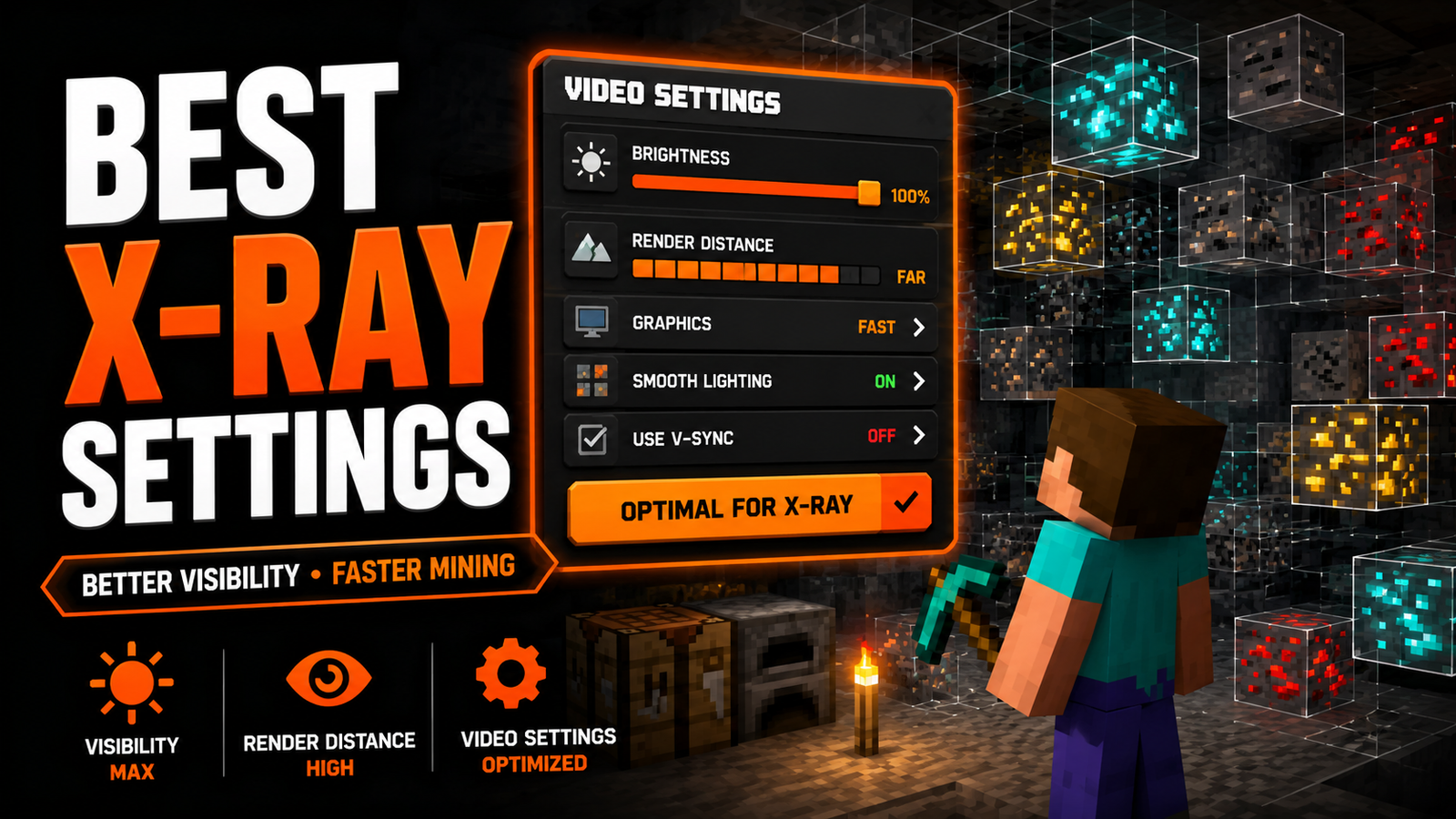
Best Settings For Using A Minecraft X-ray Texture Pack
Even the best MinecraftX-rayy Texture Pack performs better when combined with proper game settings. Small adjustments can improve visibility, enhance underground exploration, and increase overall mining efficiency. Many players overlook these settings and miss opportunities to get the most from their resource packs.
Recommended Video Settings
Video settings directly affect how clearly ores and structures appear. Lowering unnecessary visual effects often improves visibility. Fancy graphics may look attractive, but simpler settings can make hidden resources easier to identify. Many experienced players prefer balanced settings that prioritize clarity over visual effects.
Brightness And Gamma Adjustments
Brightness settings play a major role during cave exploration. Higher brightness levels reduce dark areas and make underground navigation easier. Combined with an X-ray pack, increased brightness helps players identify valuable resources more quickly. Proper lighting settings also reduce the need for excessive torch placement while mining.
Render Distance Recommendations
Render distance controls how much of the world appears on screen. A moderate to high render distance can improve resource discovery because more terrain becomes visible at once. However, extremely high settings may reduce performance on lower-end systems. Finding a balance between visibility and smooth gameplay is usually the best approach.
Performance Optimization Tips
Good performance ensures a smoother mining experience.
Consider these optimization practices:
- Close unnecessary background applications
- Allocate sufficient memory to Minecraft
- Use updated graphics drivers
- Keep resource packs organized
- Remove unused packs
These simple adjustments often improve frame rates and reduce loading issues.
What Resources Can You Find With A Minecraft X-ray Texture Pack?
One reason X-ray packs remain popular is their ability to highlight multiple valuable resources simultaneously. Instead of searching for a single ore type, players can identify numerous materials during one mining session.
Diamonds
Diamonds are among the most valuable resources in Minecraft. They are essential for crafting durable tools, armor, enchanting equipment, and advanced progression items. Improved ore visibility makes diamond hunting significantly more efficient.
Ancient Debris
Ancient debris is found within the Nether and is required for Netherite upgrades. Because it naturally generates in limited quantities, locating it can take considerable time without visual assistance.
Emeralds
Emeralds are useful for villager trading and obtaining rare items. Mountain biomes often contain emerald deposits, making them valuable targets during exploration.
Gold Ore
Gold remains important for crafting, trading, powered rails, and Nether-related mechanics. Many players collect large quantities for specialized farms and advanced builds.
Iron Ore
Iron is one of the most frequently used resources in Minecraft. Tools, armor, hoppers, rails, and countless redstone components depend on a steady iron supply.
Redstone Ore
Redstone powers automation systems throughout Minecraft. Builders and technical players often require large amounts for farms, machines, and advanced contraptions.
Lapis Lazuli
Lapis Lazuli plays a crucial role in enchanting. Players frequently gather significant amounts to support late-game enchantment strategies.
Coal Ore
Coal remains one of the most accessible fuel sources in the game. Large coal reserves help maintain smelting operations and torch production during long survival sessions.
Hidden Structures And Cave Systems
X-ray packs do more than reveal ores. They can also help identify cave networks, abandoned mineshafts, underground pathways, and other hidden structures that contain valuable loot and exploration opportunities. Many experienced players use resource packs primarily for cave navigation rather than ore collection alone.
MinecraftX-rayy Texture Pack Vs Traditional Mining
Many players wonder whether using a Minecraft X-ray Texture Pack is actually worth it compared to traditional mining methods. The answer depends on your goals, playstyle, and how much time you want to spend gathering resources.
Traditional mining has always been part of the Minecraft experience. Exploring caves, digging tunnels, and discovering hidden ore veins creates a sense of progression that many players enjoy. Finding a large diamond vein after hours of mining can feel rewarding because it requires patience and persistence.
An X-ray texture pack changes that experience by improving ore visibility. Valuable resources become easier to locate, which reduces the amount of random digging required. Players can focus directly on resource-rich areas instead of spending long periods searching blindly through stone.
For players who enjoy building large projects, creating automated farms, or testing game mechanics, the time savings can be significant. On the other hand, survival purists may feel that traditional mining offers a more authentic and rewarding gameplay experience.
Time Comparison
Traditional mining often requires extensive branch mining or cave exploration before valuable resources are discovered. With an X-ray pack, resource discovery becomes much faster because hidden resources can be identified immediately.
Efficiency Comparison
Mining efficiency increases substantially when players know exactly where valuable blocks are located. Less time is wasted breaking unnecessary blocks, resulting in more productive mining sessions.
Resource Yield Differences
Higher efficiency usually leads to greater resource collection over the same period. Players often gather more diamonds, iron, gold, and redstone compared to standard mining methods.
Advantages And Disadvantages
| Advantages | Disadvantages |
| Faster resource gathering | May reduce the survival challenge |
| Better ore visibility | Not allowed on many servers |
| Improved underground exploration | Can affect gameplay balance |
| Saves time | Less sense of discovery |
| Easy installation | Potential compatibility issues |
Potential Risks And Limitations
While X-ray texture packs offer clear benefits, they are not perfect. Understanding the limitations helps players make informed decisions before using them. One common misconception is that X-ray packs guarantee unlimited resources. They do not create new ores or increase spawn rates. The pack simply changes how blocks appear on screen.
Another consideration is the impact on gameplay. Minecraft was originally designed around exploration and discovery. Removing much of the searching process can make progression feel less rewarding for some players.
Multiplayer Server Restrictions
Many public servers prohibit the use of X-ray packs. Server administrators often classify them as unfair advantages because they provide information that regular players cannot see. Violating server rules may result in warnings, temporary suspensions, or permanent bans. Anti-Cheat at Detection Systems
Modern servers use advanced anti-cheat tools that monitor mining patterns. Unusual behavior, such as consistently finding rare ores with exceptional accuracy, may trigger automated investigations. Even if the texture pack itself is not directly detected, suspicious mining activity can still attract attention.
Fair Play Considerations
Fair play remains an important topic within the Minecraft community. Using an X-ray pack in a private single-player world affects nobody else. Using one on a competitive multiplayer server creates a different situation because it provides advantages unavailable to other players. Always consider the environment where the pack will be used.
Possible Compatibility Issues
Minecraft updates frequently introduce new textures and blocks. Older resource packs may become outdated and stop working correctly. Missing textures, incorrect rendering, and loading errors can occur when compatibility is ignored.
Performance Concerns on Low-End Devices
Most X-ray packs are lightweight, but performance can still vary. Older systems may experience longer loading times, reduced frame rates, or visual instability when multiple resource packs are enabled simultaneously.
Troubleshooting Common X-ray Texture Pack Problems
Well-designed resource packs occasionally encounter problems. Fortunately, most issues can be resolved quickly through basic troubleshooting steps. Understanding common causes allows players to spend less time fixing errors and more time exploring underground resources.
Texture Pack Not Appearing In Minecraft
If the pack does not appear in the resource pack menu, verify that the file is located in the correct folder. Java Edition users should ensure the file remains in its original compressed format unless instructed otherwise by the creator. Restarting Minecraft often resolves detection issues.
X-ray Not Showing Ores Correctly
Incorrect ore visibility usually indicates version incompatibility. Check whether the pack matches your Minecraft version. Updating to a compatible release often solves the problem immediately.
Pack Fails To Load
Loading failures commonly occur when files become corrupted during download. Downloading a fresh copy from a trusted source is often the quickest solution.
Visual Glitches And Missing Textures
Visual artifacts may appear if multiple resource packs conflict with one another. Disable unnecessary packs and test the X-ray pack independently to identify the source of the issue.
Version Mismatch Errors
Version mismatch errors occur when newer Minecraft releases introduce texture changes not supported by older packs. Always use the most recent version available from the pack developer.
Alternatives To Minecraft X-ray Texture Packs
Not every player wants to use an X-ray pack. Fortunately, several legitimate mining techniques can improve resource gathering while preserving the standard Minecraft experience. Many experienced players rely on these strategies even without specialized resource packs.
Ore Finding Strategies Without X-ray
Learning ore generation patterns can significantly improve mining results. Different resources generate at specific depths, making location knowledge extremely valuable. Understanding these mechanics often produces better outcomes than random digging.
Branch Mining Techniques
Branch mining remains one of the most effective resource-gathering methods. Creating long central tunnels with smaller side branches exposes a large number of blocks while minimizing effort. Many veteran players still consider it the most reliable mining strategy.
Cave Exploration Methods
Modern cave systems contain enormous amounts of exposed ore. Exploring natural caves often yields valuable resources faster than traditional tunnel mining, particularly after recent world generation updates.
Resource Packs Designed For Visibility
Some resource packs improve clarity without using X-ray functionality.
Enhanced textures, brighter ores, and improved contrast can make resources easier to spot while maintaining gameplay balance. In-Game Mining Tips For Beginners
New players can improve results by:
- Mining at recommended depth levels
- Carrying sufficient torches
- Using enchanted tools
- Exploring large cave systems
- Organizing resource storage
These habits improve efficiency regardless of whether an X-ray pack is used.
Tips For Maximizing Results With A MinecraftX-rayy Texture Pack
Using an X-ray pack effectively requires more than simply activating it. Players who understand resource generation and mining mechanics typically achieve better results. Combining game knowledge with improved ore visibility creates a far more efficient resource-gathering process.
Best Mining Levels For Different Ores
Different resources are generated at different depths. Diamonds are commonly found deep underground, while emeralds appear more frequently in mountain regions. Ancient debris generates within specific Nether layers. Understanding these locations helps players focus their exploration efforts.
Efficient Cave Exploration
Large cave networks often contain multiple resource types in proximity. Exploring these areas systematically reduces travel time and improves resource collection rates. Many experienced players scan cave walls carefully before mining individual deposits.
Combining X-ray with Resource Management
Finding resources quickly is only part of the process. Efficient inventory management, proper storage systems, and organized mining routes help maximize overall productivity. Players who combine these strategies often progress significantly faster.
Avoiding Common Beginner Mistakes
Several mistakes frequently reduce effectiveness:
- Ignoring version compatibility
- Using outdated packs
- Mining without preparation
- Overlooking cave systems
- Forgetting inventory space
Avoiding these simple errors can dramatically improve results.
Is MinecraftX-rayy Texture Pack Worth Using?
The answer depends entirely on what type of Minecraft experience you prefer.
Some players value efficiency and resource gathering speed. Others enjoy the challenge and unpredictability of traditional exploration. Understanding your personal goals helps determine whether an X-ray pack is the right choice.
Who Should Use It? X-ray packs are often useful for single-player survival worlds.
- Creative projects
- Testing environments
- Large-scale building projects
- Resource-intensive gameplay
These scenarios benefit most from faster resource discovery.
Casual Players Vs Competitive Players
Casual players often appreciate the convenience and time savings provided by improved ore visibility. Competitive multiplayer players should exercise caution because many servers prohibit resource-revealing tools and packs. Always review server rules before enabling any Xray resource pack.
Pros And Cons Summary
Pros:
- Faster mining
- Better underground exploration
- Improved resource gathering
- Easy installation
- Broad compatibility
Cons:
- Restricted on many servers
- Reduced gameplay challenge
- Potential compatibility issues
- May diminish discovery aspects
Final Recommendation
For private worlds and personal projects, a Minecraft X-ray Texture Pack can be a useful tool that saves time and improves mining efficiency.
Players seeking the original survival experience may prefer traditional mining methods instead.
Frequently Asked Questions
What is the best Minecraft X-ray texture pack?
The best option depends on your Minecraft version and platform. Players should choose actively maintained packs that receive regular updates and support current game releases.
Does X-ray Texture Pack Work On Minecraft Bedrock Edition?
Yes. Many X-ray resource packs are available for Bedrock Edition, although installation and compatibility may differ from Java Edition.
Can I Use an X-ray Texture Pack On Multiplayer Servers?
Some servers allow resource packs, while others prohibit X-ray functionality. Always review server rules before using any pack.
Is Using an X-ray Texture Pack Considered Cheating?
In single-player worlds, this is a personal choice. On competitive multiplayer servers, many communities consider it an unfair advantage.
Does X-ray Texture Pack Affect Game Performance?
Most texture packs have minimal performance impact. However, results may vary depending on hardware specifications and pack complexity.
How Do I Update an X-ray Texture Pack To A Newer Minecraft Version?
Download the latest compatible version from the pack creator and replace the existing files within your resource pack collection.
What Is The Difference Between An Xray Mod And An Xray Texture Pack?
A texture pack changes visual textures, while a mod may include additional gameplay features, scanning tools, and advanced functionality.
Can I Find Netherite Using an X-ray Texture Pack?
Yes. Ancient debris, which is required for Netherite upgrades, can often be highlighted by compatible X-ray resource packs, making it easier to locate within the Nether.
Final Takeaway
A MinecraftX-rayy Texture Pack offers a practical way to improve ore visibility, simplify underground exploration, and speed up resource discovery. By making valuable materials easier to locate, these packs help players spend less time searching and more time building, crafting, and progressing through the game.
Success depends on choosing the correct version, verifying pack compatibility, and understanding how different resources are generated worldwide. Following best practices ensures a smoother experience while minimizing technical issues.
For players focused on efficient resource gathering, the Minecraft X-ray Texture Pack remains one of the most popular resource packs available. Used responsibly and in appropriate environments, it can dramatically improve mining optimization and resource collection.