A Roblox player finder is a method used to locate and connect with users inside Roblox. It helps players search for profiles, recover lost usernames, or reconnect with friends they met in games.
Most users rely on it for simple reasons like finding teammates, tracking creators, or rebuilding friend lists after long breaks. Since Roblox has millions of active accounts, a structured search system becomes necessary to identify the right player quickly.
This guide explains how player search works, how to find people without exact usernames, and which methods are safest. It also covers privacy settings, user IDs, and common search problems so you can avoid confusion.
What Is A Roblox Player Finder
A Roblox player finder refers to any method used to locate Roblox accounts using search tools, usernames, or profile data. It works like a digital lookup system where each account is tied to a unique identity. Inside Roblox, every user has a username and a display name. The system matches what you type with stored account data and shows possible profiles. This is the foundation of all player search functions.
Player finder tools are used by regular gamers, content creators, and community members. Some want to reconnect with old friends, while others are looking for trading partners or teammates. The main idea is simple: help users find specific people inside a massive online platform.
Ways To Find Roblox Players
The most reliable way to find players is through official search tools, but multiple methods depend on what information you have. The Roblox search bar allows you to type usernames or display names and instantly view matching profiles. If the name is exact, the correct account usually appears at the top. From there, you can open the profile, view activity, and send friend requests.
Another strong method is mutual friends. If you shared gameplay before, your friends list may contain shared connections. This creates a natural discovery path where you can trace players through social links. Groups are also powerful. Many communities inside Roblox have thousands of members. By browsing group pages, you can find users based on shared interests or game styles.
Game servers provide another option. While playing, you can view other participants and click on their profiles. This is useful for meeting new players in real time, especially in public lobbies.
Best Roblox Player Finder Tools And Websites
The safest tool is always the official Roblox search system. It connects directly to verified accounts and respects privacy rules. You can search by name and access real profiles without risk. Some external username lookup tools exist, but they only use public data. They cannot access private accounts or hidden information. These tools help with spell corrections or partial searches, but are not fully reliable.
Player statistics platforms are another category. These show activity data like badges, games played, or visit history. Competitive players often use them to understand engagement levels or find skilled teammates. Community directories are informal lists where users share profiles. These are created by players themselves and are often used in clans or fan groups. However, they may not always be updated.
A good Roblox player finder should always provide accurate search results, respect privacy settings, and avoid requiring sensitive login information.
How To Find Someone On Roblox Without Their Exact Username
Sometimes you do not remember the full username. In this case, partial search helps. The system inside Roblox will show similar names based on what you type.
Display names are also useful because they are easier to remember and can be changed anytime. Searching for a display name may return multiple results, so profile verification becomes important. Groups help a lot in missing-name situations. If you remember a group you both joined, you can browse members and look for familiar avatars or usernames.
Social communities outside Roblox also help. Many players share their profiles on Discord or gaming forums, making it easier to reconnect. You can also revisit shared games. Some experiences show recent players or leaderboard lists, which can help you find forgotten usernames.
How To Find Friends You Played With Recently
Recent activity is one of the easiest ways to reconnect with players. Inside Roblox, your game history often shows sessions you joined. Some games display recent server participants. This allows you to click profiles and send friend requests directly.
Community servers also help players reconnect after matches. Many popular games have group chats or Discord servers where usernames are shared after gameplay. Sending friend requests is more effective when you include context. Mention the game you played together so the other user recognizes you quickly.
Understanding Roblox Usernames And Display Names
A username is permanent and unique. It identifies your account inside Roblox. A display name, however, can be changed and is not unique. This difference is important because many players confuse the two. Search results often show display names first, which can lead to incorrect profiles.
If a player changes their display name, older searches may not match correctly. That is why usernames are more reliable for accurate searches. Impersonation accounts also exist. Always check account age, friends list, and activity before trusting a profile.
Can You Find A Roblox Player By User ID
A user ID is a unique number assigned to every account inside Roblox. It never changes, even if the username changes.
User IDs are mainly used by developers and advanced users. They help track accounts across name changes or verify identity in systems. Some tools allow you to convert a user ID into a username. This is useful when you only have numeric data from a game or script. User IDs are especially helpful in debugging, tracking activity, or confirming account authenticity.
How To Find Roblox Players Across Different Devices
Search features work across all devices, but experience can vary. PC users get full access to search tools, groups, and profile browsing. Mobile users have simplified access but can still search and send requests easily.
Tablet users enjoy a larger interface, making navigation easier. Console players, like Xbox users, have limited search features but can still connect through friends and recent games. All devices inside Roblox sync account data, so your friends list stays consistent everywhere.
Common Roblox Player Finder Problems And Solutions
Sometimes the search does not work as expected. A username may not appear due to spelling errors or privacy restrictions.
Display name confusion is another issue. Many users share similar names, so always confirm profile details carefully. Private accounts may not show in search results. This is controlled by privacy settings. Account bans or inactivity can also remove profiles from search visibility. If search results do not load, it is usually a connection issue or a temporary platform update.
Friend requests may fail if the user has disabled invitations.
Roblox Privacy Settings That Affect Player Search
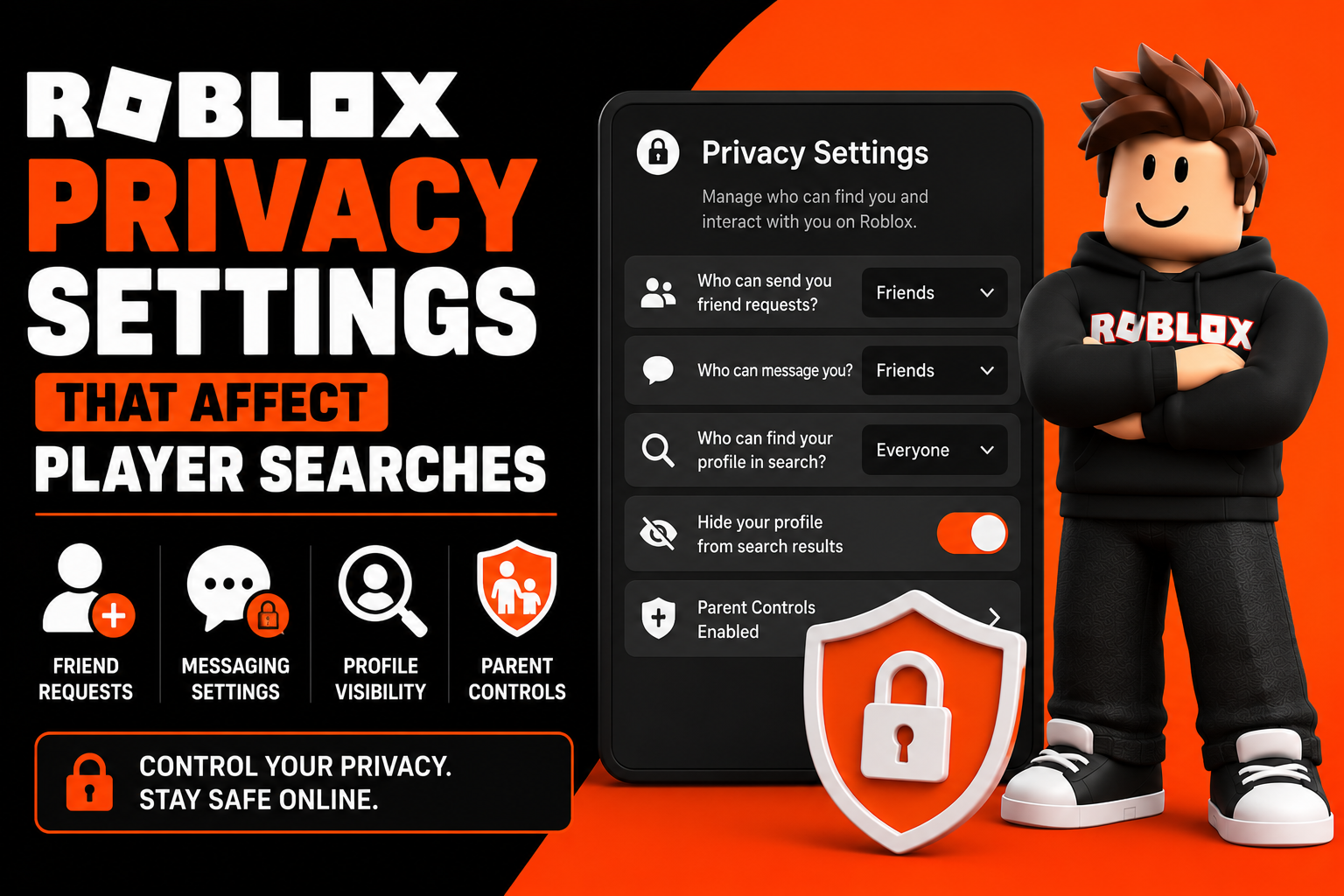
Roblox Privacy Settings That Affect Player Searches
Privacy settings inside Roblox control who can find your profile. Users can choose who sends friend requests, who can message them, and whether their profile appears in search results. Some accounts are fully hidden from search for safety reasons. Parent controls may also restrict visibility and communication. These settings are important for protecting younger users and controlling online interactions.
Is It Safe To Use Roblox Player Finder Tools
Official tools are safe because they are built into Roblox. Third-party tools vary in safety and reliability. Some websites may ask for login details, which is a major red flag. Never enter your password on unknown sites. Phishing scams are common, so always check URLs carefully. The safest practice is to use official search tools only and avoid sharing personal account information.
Tips For Finding Roblox Players Faster
Use exact usernames whenever possible. This increases search accuracy significantly. Save usernames after playing games so you do not lose them later. Join active groups related to your favorite games. These communities make player discovery easier. Community platforms like Discord also help you find active players quickly. Always verify profiles before sending friend requests to avoid fake accounts.
Alternatives To Roblox Player Finder Tools
You can also find players through community spaces. Roblox groups are one of the most active sources of player discovery.
Discord servers allow players to share usernames and organize matches. Social media communities often promote profiles and gaming content. Fan groups and creator communities also help connect players with similar interests.
Future Of Roblox Player Search Features
Search systems inside Roblox are expected to improve with smarter matching systems. Future updates may include better friend recommendations based on gameplay behavior. Community discovery features may also help players find others with similar interests. Privacy updates will continue to strengthen account protection and safety tools.
Frequently Asked Questions
How Do I Find A Roblox Player By Username
Use the search bar and enter the exact username to find the correct profile.
Can I Find Someone Using Their Display Name
Yes, but results may show multiple accounts, so always verify the profile.
Is There A Free Roblox Player Finder
Yes, the official Roblox search system is completely free.
Can I Find Players I Recently Played With
Yes, through game history or recent server lists.
How Do I Find A Player Using a User ID
User IDs can be converted into usernames using developer tools or lookup services.
Are Roblox Player Finder Tools Safe
Official tools are safe, but third-party websites may be risky.
Why can’t I find a user
The account may be private, renamed, or misspelled.
Can Someone Find Me If My Account Is Private
It depends on your privacy settings and search visibility options.
Final Thoughts
A Roblox player finder is one of the most useful tools for connecting players inside Roblox. The safest method is always the official search system because it is accurate and privacy-friendly.
If you understand usernames, display names, groups, and user IDs, finding almost any player becomes simple. The key is using the right method for the right situation.