Paralives system requirements are one of the most searched topics in the life simulation community right now, and for good reason. Nobody wants to download a game only to find out their PC cannot handle it. Whether you are running a budget laptop, a mid-range desktop, or a full gaming rig, this article gives you everything you need to know before Paralives launches. You will find the full minimum and recommended PC specs, a section on how to check your own hardware in minutes, GPU and CPU breakdowns by brand, storage and DirectX requirements, laptop compatibility advice, and practical tips for squeezing better performance out of lower-end systems. If you are asking whether your PC can run Paralives, this is where you find the answer
What Are the Official Paralives System Requirements?
Paralives is being developed in Unity, a modern engine known for being reasonably scalable across different hardware tiers. Official final system requirements have not been confirmed at the time of writing since the game has not launched, but based on the engine, development previews, and community testing from early builds, we can give you an accurate and honest picture of what to expect.
Minimum System Requirements
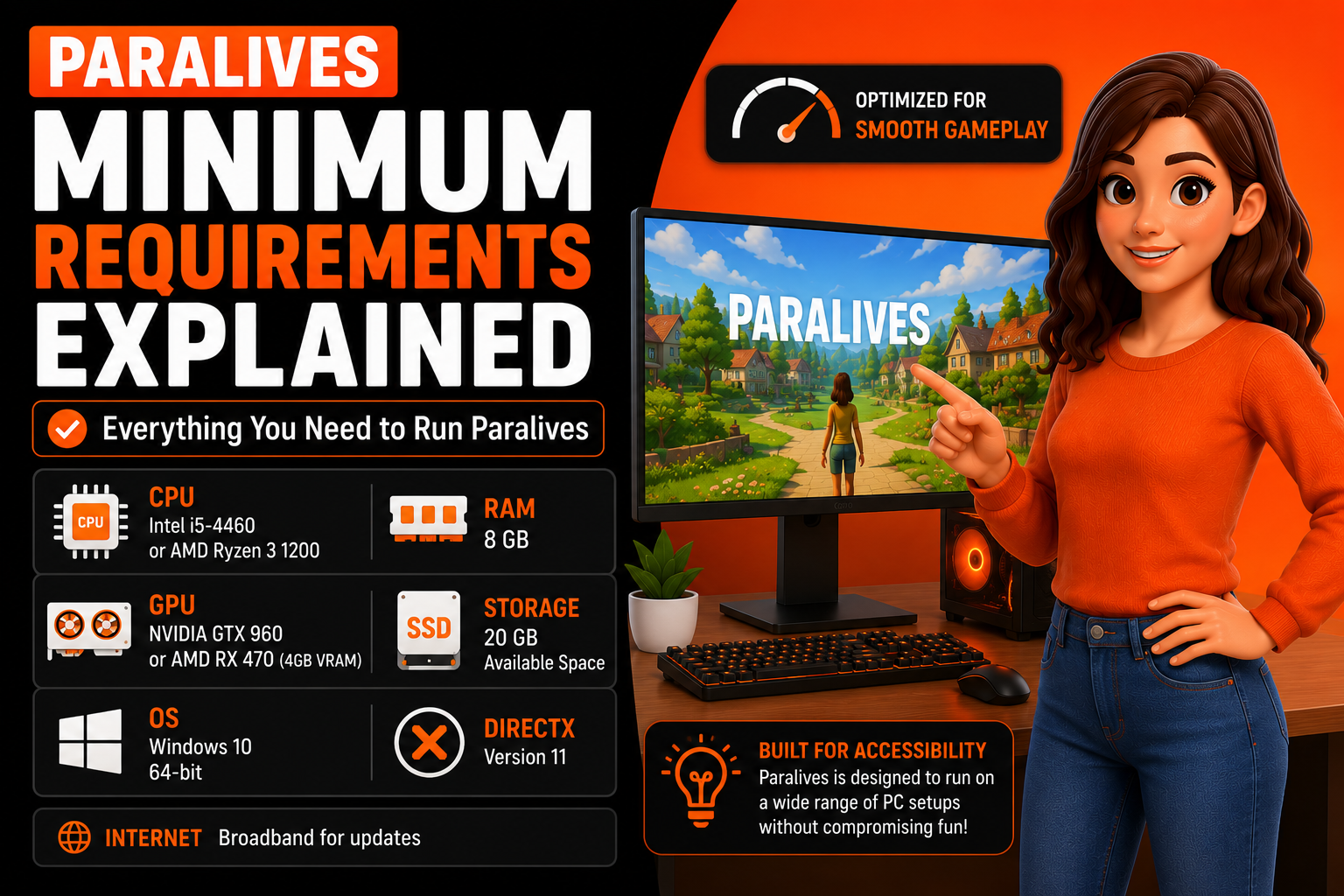
Based on Paralives’ Unity engine foundation and the visual complexity shown in official gameplay previews, the estimated minimum requirements are as follows:
| Component | Minimum Specification |
| OS | Windows 10 64-bit |
| CPU | Intel Core i5-4460 or AMD Ryzen 3 1200 |
| RAM | 8 GB |
| GPU | NVIDIA GTX 960 or AMD RX 470 (4GB VRAM) |
| DirectX | Version 11 |
| Storage | 20 GB available space |
| Internet | Broadband for updates |
Recommended System Requirements
For a smooth, visually rich experience with larger neighborhoods and complex builds, these are the recommended targets:
| Component | Recommended Specification |
| OS | Windows 10 or Windows 11 64-bit |
| CPU | Intel Core i7-8700 or AMD Ryzen 5 3600 |
| RAM | 16 GB |
| GPU | NVIDIA GTX 1070 or AMD RX 5700 (8GB VRAM) |
| DirectX | Version 12 |
| Storage | 30 GB SSD |
| Internet | Broadband for updates |
Why These Requirements Matter for Gameplay Performance
System requirements are not just a technical formality. Running Paralives below minimum specs means stuttering, slow loading, and visual glitches that break immersion. Meeting the recommended specs means the game runs the way the developers intended, with stable frame rates, fast loading between areas, and no simulation slowdown when your household gets busy. Hardware requirements directly determine how enjoyable your experience is from the first session.
Quick Paralives PC Specs Overview
Before going deep on each component, here is a fast reference for the hardware categories that matter most for running Paralives well.
CPU Requirements
Paralives runs a live simulation underneath the surface. Every Para has needs, relationships, and behaviors running in real time. A simulation-heavy game like this leans on the CPU more than a straightforward action game would. A quad-core processor from the last six years handles the minimum requirement comfortably. Eight-core processors deliver noticeably smoother simulation performance when multiple households are active.
RAM Requirements
Eight gigabytes of RAM gets you into the game. Sixteen gigabytes keeps you there comfortably without background slowdowns. Life simulation games are memory-intensive because they track large amounts of active data simultaneously, including household states, relationship variables, and world object states. More RAM means less time waiting for the system to shuffle data.
Graphics Card Requirements
Paralives uses Unity’s rendering pipeline, which supports both older DirectX 11 hardware and modern DirectX 12 cards. A GTX 960 or RX 470 handles minimum settings. For medium to high visual quality with good frame pacing, a GTX 1060 6GB or RX 580 is a practical middle ground that most mid-range players already own.
Storage Space Required
Initial installation is estimated at around 20 GB, with recommended free space of 30 GB to allow for updates and community content. An SSD dramatically improves load times compared to a traditional HDD, particularly when moving between lots or loading large custom builds.
DirectX Version Needed
Paralives requires DirectX 11 at a minimum and supports DirectX 12 for better performance on modern hardware. DirectX is a set of Windows APIs that handles graphics communication between software and hardware. Most Windows 10 and 11 machines already have the required version installed.
Operating System Compatibility
Paralives officially targets Windows 10 and Windows 11 on 64-bit systems. Mac and Linux support has not been confirmed for launch. Players on older 32-bit Windows versions will need to upgrade their operating system before the game will run.
Minimum Specs Guide
Paralives Minimum Requirements Explained
Understanding what the minimum specs actually mean in practice is more useful than just reading a spec table. Meeting the minimum does not mean meeting the ideal.
Who Can Play With Minimum Specs?
Players with an Intel Core i5 from the 4000 series, 8 GB of RAM, and a GTX 960 or equivalent AMD card are in the minimum window. This covers a wide range of budget and older gaming PCs built between 2014 and 2018. If your system was considered a solid gaming PC five to eight years ago, you are likely in minimum territory today.
Expected FPS and Graphics Settings
On minimum specifications, expect to run Paralives at 30 to 45 frames per second on low to medium graphics settings at 1080p resolution. Frame rate will drop in densely populated neighborhoods or large custom-built lots with many active objects. Lowering shadow quality and draw distance has the most immediate impact on stabilizing frame rates on minimum hardware.
Common Limitations on Lower-End PCs
Loading times will be noticeably longer on minimum hardware, especially without an SSD. Character animation may show occasional hitching when multiple Paras are active in the same space. Very large builds with extensive furniture and object scaling may cause temporary slowdowns during transitions between areas. These are expected trade-offs, not bugs.
Is the Minimum Configuration Enough for Large Builds?
Honestly, minimum specs are suitable for small to medium household gameplay. If you plan to build large community lots, populate neighborhoods with many active households, or use complex curved architecture with heavy object scaling, the minimum configuration will struggle. For that kind of play, at least 16 GB of RAM and a GPU with 6 GB of VRAM is the practical starting point.
Paralives Recommended Requirements Explained
Meeting recommended specs changes how Paralives feels to play in ways that go beyond just better graphics.
Benefits of Meeting Recommended Specs
At recommended specifications, Paralives runs with stable frame rates, faster load transitions, and smoother simulation performance across all gameplay modes. Build mode becomes genuinely fluid with no lag when scaling objects or applying curved walls. Live mode handles multiple active Paras without noticeable slowdown. Visual quality at high settings reveals lighting details and surface textures that are simply not visible on lower hardware tiers.
Performance in Large Neighborhoods
Recommended hardware handles large neighborhoods with multiple active households without the simulation slowdown that minimum specs experience. A Ryzen 5 3600 or Intel i7-8700 processor processes parallel simulation threads efficiently, meaning more Paras doing more things simultaneously without dropping frames. This matters for players who want a living, breathing neighborhood rather than a single isolated household.
Better Graphics, Faster Loading, and Smoother Gameplay
An SSD combined with 16 GB of RAM reduces load times dramatically compared to minimum configurations. What takes 45 seconds on a minimum setup with an HDD can drop to under 10 seconds on recommended specs with an SSD. High graphics settings enable full ambient occlusion, improved shadow resolution, and better texture filtering that make Paralives’ art style look its best.
Ideal Setup for Long-Term Play
Recommended specs represent the sweet spot for long-term enjoyment. Players who build extensively, run large saves, or play in long sessions benefit most from the stability that recommended hardware provides. Minimum specs can work fine initially, but tend to show their limitations as saves grow larger and world complexity increases over time.
Can My PC Run Paralives?
This is the most common question players are asking right now. Checking your own hardware takes about three minutes and requires no special tools.
How to Check Your Computer Specifications
On Windows, press the Windows key, type “System Information,” and open the application. Your processor name, installed RAM, and operating system version are listed on the main screen. For GPU information, open Device Manager and expand the Display Adapters section to see your graphics card model.
Comparing Your Hardware With Paralives Requirements
Write down your CPU model, RAM amount, and GPU model, then compare each against the minimum and recommended tables above. If all three components meet or exceed the minimum column, your PC can run Paralives. If they meet the recommended column, you are in good shape for a high-quality experience.
Easy Methods to Check CPU, GPU, RAM, and Storage
Alternatively, press Windows key plus R, type “dxdiag,” and press Enter. DirectX Diagnostic Tool shows your system name, processor, memory, and operating system on the System tab. Clicking the Display tab shows your GPU model and available video memory, which are the two most important numbers for graphics performance assessment.
Online Tools and Manual Comparison Methods
Websites like System Requirements Lab offer automated compatibility checks where you enter a game name, and the tool scans your browser for hardware data. These tools provide a convenient second opinion if you are unsure about reading raw spec numbers. Always cross-reference results with the official requirements listed by the developer.
Paralives GPU Requirement: What Graphics Card Do You Need?
The GPU handles everything you see on screen. Getting this component right is the single biggest factor in visual fidelity and frame rate stability.
Minimum Graphics Card Requirements
At minimum, a GTX 960 4GB or AMD RX 470 4GB handles Paralives on low to medium settings. These cards are several years old now, which is by design. Paralives is an indie game built to be accessible, not a visual showcase requiring a flagship GPU.
Recommended Graphics Cards for High Settings
For high settings at 1080p with consistent frame rates, a GTX 1070 8GB or AMD RX 5700 8GB is the recommended target. More VRAM matters here because large custom builds with many unique textures and scaled objects push VRAM usage higher than a standard household session would.
NVIDIA GPU Compatibility
NVIDIA GPUs from the GTX 900 series onward are compatible with Paralives’ DirectX 11 minimum requirement. Cards in the RTX 20, 30, and 40 series benefit from DirectX 12 support and deliver the best possible visual quality settings with comfortable frame rates even in demanding scenarios.
AMD GPU Compatibility
AMD GPUs from the RX 400 series onward cover the minimum requirement. RX 5000 and RX 6000 series cards handle recommended settings easily. AMD’s FSR upscaling technology, if supported by Paralives at launch, can provide a significant performance boost on AMD hardware at lower GPU cost.
Integrated Graphics Performance Expectations
Integrated graphics, such as Intel UHD or AMD Radeon integrated solutions, are not recommended for Paralives. Integrated GPU performance typically falls well below the GTX 960 minimum. Players with integrated-only systems may be able to launch the game on the lowest possible settings but should expect poor frame rates and limited simulation complexity.
Paralives CPU Requirements and Processor Performance
The CPU drives the simulation itself. Every decision a Para makes, every relationship update, every world event processed in the background runs through the processor.
Minimum Processor Specifications
An Intel Core i5-4460 or AMD Ryzen 3 1200 covers the minimum requirement. Both are quad-core processors that handle basic simulation loads without significant bottlenecking. Players on older dual-core processors will likely experience simulation slowdown even on low graphics settings because the processor cannot keep up with the game’s background calculations.
Recommended CPUs for Smooth Gameplay
An Intel Core i7-8700 or AMD Ryzen 5 3600 provides six cores and twelve threads, giving Paralives plenty of headroom for complex simulation loads. Multi-threaded performance matters more than raw clock speed for life simulation games because multiple systems run simultaneously rather than sequentially.
Intel vs AMD Performance for Paralives
Both Intel and AMD processors perform well in Paralives based on available technical information. AMD Ryzen 5000 series processors have shown strong multi-threaded performance in Unity-based games, making them a particularly good value choice for players upgrading specifically for Paralives. Intel 12th and 13th-generation processors perform comparably in simulation workloads.
How CPU Performance Affects Simulation Speed
Imagine loading a save where your Para has a job, a full social calendar, and a neighborhood full of active households, all running simultaneously. A slower CPU processes each of those simulation threads in sequence, creating micro-stutters and delayed NPC reactions. A faster CPU handles them in parallel, keeping everything feeling alive and responsive. CPU performance is less visible than GPU performance, but more felt during extended play sessions.
How Much RAM Does Paralives Need?
RAM is where the game stores active data while you play. More RAM means more data available instantly without the system having to fetch it from slower storage.
Minimum RAM Requirements
Eight gigabytes of RAM is the minimum. At this level, Paralives runs alongside the operating system with limited headroom. Closing background applications before launching the game is strongly recommended for 8 GB to free up as much available memory as possible.
Recommended RAM Capacity
Sixteen gigabytes of RAM is the recommended amount. At this level, Paralives runs comfortably alongside a browser, Discord, and other typical background applications without memory pressure affecting gameplay smoothness. Sixteen gigabytes has become the de facto standard for gaming in 2024.
Is 8GB RAM Enough?
Eight gigabytes works for basic gameplay but shows limitations during complex sessions. Large builds with many placed objects, complicated social situations with many active Paras, and loaded neighborhoods all consume memory faster than a simple single-household play session. If 8 GB is all you have, the game will run, but expect occasional slowdowns during peak activity.
Benefits of 16GB or More
Sixteen gigabytes removes memory pressure entirely for typical gameplay. Thirty-two gigabytes provides system stability headroom that benefits players who stream, record video, or run multiple applications alongside Paralives. For pure gameplay on a budget, 16 GB is the sweet spot that delivers recommended performance without overspending.
Paralives Storage Space Required (GB)
Storage affects two things: how much space you need and how fast the game loads.
Initial Installation Size
Paralives is estimated at approximately 20 GB for the base installation. This is relatively compact compared to many modern games, reflecting the indie development scale. Budget at least 25 GB of free space to account for the installation plus temporary files created during gameplay.
Future Updates and Expansion Space
Post-launch updates, free content additions, and community assets will grow the installation footprint over time. Allocating 30 to 40 GB of free space on your chosen drive provides comfortable room for the game to grow without requiring drive management after every update.
SSD vs HDD Performance Comparison
| Storage Type | Load Time (Estimated) | Build Mode Transition | Neighborhood Loading |
| SSD (NVMe) | 5 to 10 seconds | Near instant | 8 to 12 seconds |
| SSD (SATA) | 8 to 15 seconds | 1 to 2 seconds | 12 to 18 seconds |
| HDD (7200 RPM) | 30 to 60 seconds | 5 to 8 seconds | 30 to 45 seconds |
An SSD is not required, but it makes a significant practical difference. If you only upgrade one component for Paralives, upgrading from an HDD to an SSD delivers the most noticeable day-to-day improvement in how the game feels to use.
How Much Free Space Should You Keep?
Keep at least 10 GB of free space on the drive where Paralives is installed beyond the game itself. Operating systems use free drive space for virtual memory and temporary file operations. A drive that is nearly full creates system instability that manifests as crashes and slowdowns that can look like game problems but are actually storage problems.
Paralives DirectX Version Requirements
What Is DirectX?
DirectX is a collection of application programming interfaces built into Windows that allow games to communicate with your graphics hardware. Think of it as the language your GPU and game use to talk to each other. Without the right version of DirectX, certain visual features and rendering techniques are unavailable, regardless of how powerful your GPU is.
Required DirectX Version for Paralives
Paralives requires DirectX 11 at a minimum. DirectX 12 is supported on compatible hardware and enables better multi-threading of GPU commands, which improves frame rate stability, particularly on AMD GPUs with modern drivers. Most Windows 10 and 11 installations already include both versions.
How to Check Your Installed DirectX Version
Press Windows key plus R, type “dxdiag,” and press Enter. On the System tab, look for the DirectX Version line near the bottom of the system information section. If it shows DirectX 12, you are covered for both minimum and recommended requirements.
Updating DirectX on Windows
DirectX updates are delivered through Windows Update rather than as standalone downloads. Open Windows Update in Settings, check for updates, and install any available system updates. After restarting, run dxdiag again to confirm the version has updated.
Can Paralives Run on a Laptop?
Laptops introduce additional variables that desktop spec comparisons do not capture, including thermal throttling, power limits, and integrated versus dedicated GPU configurations.
Gaming Laptops vs Standard Laptops
A gaming laptop with a dedicated NVIDIA or AMD GPU meets Paralives’ requirements the same way a desktop with equivalent hardware does. A standard office or student laptop with integrated graphics only will struggle significantly. Graphics performance is not the only concern on laptops. Thermal management matters too. A laptop that throttles its CPU under sustained load will perform below its spec-sheet numbers during extended play sessions.
Minimum Laptop Specifications
A laptop with at least an NVIDIA GTX 1650 or AMD RX 5500M, a six-core processor, and 8 GB of RAM meets the minimum requirement for laptop play. Older laptops with GTX 1050 Ti or GTX 960M graphics fall below the recommended minimum but may still launch the game on the lowest settings.
Recommended Laptop Specifications
For a good laptop experience, aim for an RTX 3060 laptop GPU or AMD RX 6600M, paired with a Ryzen 5 or Intel i7 processor and 16 GB of RAM. Laptops with these specifications handle Paralives at medium to high settings with stable frame rates and reasonable load times.
Common Laptop Performance Issues
Thermal throttling is the most common problem. When a laptop gets hot during extended play, the CPU and GPU reduce their speed to protect hardware from heat damage. This causes sudden frame rate drops mid-session that feel like crashes but are actually temperature responses. Playing on a hard flat surface rather than on a bed or couch improves airflow significantly.
Tips for Better FPS on Laptops
Plug your laptop into power when playing. Performance mode in Windows power settings provides full CPU and GPU performance that battery mode deliberately limits. A laptop cooling pad adds passive airflow that reduces throttling during longer sessions. Lowering shadow quality and ambient occlusion settings has the biggest frame rate impact with the smallest visible quality trade-off.
Paralives Performance on Different PC Configurations
Low-End PC Experience
On a system with an i5 4th generation, 8 GB RAM, and a GTX 960, Paralives runs at 30 to 40 FPS on low settings in a standard household scenario. Loading times are longer, and large builds show performance dips. Playable, but not ideal for extended creative sessions.
Mid-Range PC Experience
A Ryzen 5 3600, 16 GB RAM, and GTX 1070 delivers 60 FPS on medium to high settings consistently. Loading times are fast on an SSD. Build mode feels responsive, and live mode handles busy households without slowdown. This is the sweet spot for most players.
High-End PC Experience
An i9 or Ryzen 9 processor, 32 GB RAM, and RTX 3080 or above runs Paralives at maximum settings with locked 60 or higher FPS in all scenarios. Ultra-large neighborhoods with many active households remain stable. This tier is more than the game strictly needs but provides complete freedom to build and play without any hardware-imposed limits.
Expected Frame Rates Across Hardware Tiers
| Hardware Tier | Expected FPS at 1080p | Recommended Settings |
| Minimum | 30 to 45 FPS | Low to Medium |
| Mid-Range | 55 to 75 FPS | Medium to High |
| Recommended | 60 to 90 FPS | High |
| High-End | 90 to 120+ FPS | Ultra |
How to Improve Paralives Performance on Low-End PCs
Best Graphics Settings to Adjust
Lower shadow quality first. Shadows are GPU-intensive, and reducing them from high to medium recovers significant frame rate headroom. After shadows, reduce draw distance, disable ambient occlusion, and lower texture quality from ultra to high. These four changes deliver the biggest performance gains with the smallest visible quality difference.
Reducing Lag and Stuttering
Stuttering on low-end PCs is often caused by RAM pressure or CPU overload rather than GPU limitations. Close browsers, music streaming apps, and Discord video before launching. Setting Paralives to high priority in Task Manager allocates more CPU resources to the game and away from background processes.
Optimizing Background Processes
Open Task Manager before launching Paralives and end any non-essential startup processes consuming CPU or memory. Antivirus software can cause stuttering by scanning game files in real time. Adding Paralives to your antivirus exclusion list removes this overhead without compromising security.
Driver and System Updates
Outdated GPU drivers are a common cause of poor performance and graphical errors. NVIDIA and AMD both release game-ready driver updates regularly. Check GeForce Experience for NVIDIA or AMD Software for AMD to install the latest drivers. Windows updates sometimes include DirectX improvements that benefit game performance as well.
Paralives vs Other Life Simulation Games System Requirements
Paralives vs The Sims 4
The Sims 4 is famously undemanding, running on hardware as old as a GTX 750 Ti with 4 GB RAM. Paralives targets more modern hardware but remains accessible. Players who run The Sims 4 comfortably on a mid-range PC from 2018 or later should have no problem with Paralives’ minimum requirements.
Paralives vs InZOI
InZOI, developed by Krafton and released in Early Access in 2025, uses Unreal Engine 5 and requires significantly more powerful hardware than Paralives. An RTX 2070 is InZOI’s recommended GPU versus Paralives’ GTX 1070. Paralives is the more accessible option for players without high-end hardware.
Which Game Is More Hardware-Friendly?
Paralives is more hardware-friendly than inZOI and comparable to The Sims 4 on recommended specs, while offering meaningfully better visual quality than The Sims 4. For players on budget hardware, Paralives hits a better balance between visual ambition and hardware accessibility than any current life simulation competitor.
Performance Differences Explained
inZOI’s higher requirements come from Unreal Engine 5’s Nanite and Lumen rendering systems. Paralives uses Unity’s rendering pipeline, which scales more gracefully on older hardware. This makes Paralives the practical choice for players who want a modern life simulation experience without needing a GPU upgrade first.
Common Paralives System Requirement Issues and Fixes
Game Won’t Launch
If Paralives does not launch, check that your GPU drivers are up to date, that you have the correct DirectX version installed, and that your operating system is Windows 10 64-bit or newer. Running the game as administrator resolves permission-related launch failures on some systems.
Low FPS Problems
Low FPS is almost always resolved by adjusting graphics settings as described earlier. If FPS remains low after settings adjustments, check Task Manager for background processes consuming CPU or GPU resources. Thermal throttling on laptops requires physical airflow improvements rather than software fixes.
Graphics Card Compatibility Errors
A compatibility error usually means your GPU does not support the required DirectX version. Integrated Intel HD Graphics from older generations do not support DirectX 11 with the required feature level. In this case, a dedicated GPU is the only solution.
Insufficient Storage Warnings
If the game warns about insufficient storage, free up space on your installation drive before launching. Move large files to a secondary drive or external storage. Keep at least 10 GB free beyond the game installation at all times.
DirectX-Related Issues
DirectX errors during launch are resolved by running Windows Update to install the latest DirectX runtime. Microsoft’s standalone DirectX End-User Runtime Web Installer is also available from the Microsoft Download Center and handles missing DirectX components that Windows Update may not cover.
Is It Worth Upgrading Your PC for Paralives?
Components That Provide the Biggest Performance Boost
If you are upgrading specifically for Paralives, prioritize in this order: RAM from 8 GB to 16 GB first, then an SSD if you are still on an HDD, then a GPU upgrade if your current card falls below the GTX 960 minimum. CPU upgrades provide the least visible benefit unless you are on a dual-core processor.
Budget Upgrade Recommendations
A used GTX 1070 or RX 580 costs very little in the current used GPU market and exceeds Paralives’ recommended GPU specification. Eight gigabytes of DDR4 RAM is inexpensive and doubles the capacity from 8 GB to 16 GB. A 500 GB SATA SSD is affordable and transforms load times. These three upgrades together cost less than most graphics card purchases and cover every recommended specification category.
When an Upgrade Isn’t Necessary
If you have a PC with a GTX 1060 6GB or better, a quad-core processor from the last five years, and 12 GB or more of RAM, you do not need to upgrade anything for Paralives. You are already in recommended or near-recommended territory and will have a genuinely good experience at launch.
Final Verdict: What PC Specs Are Best for Paralives?
Paralives system requirements are designed to be inclusive without being technically stagnant. Minimum specs cover a wide range of budgets and older hardware, making the game accessible to a large audience. Recommended specs represent where the game truly shines, with stable performance, fast loading, and visual quality that does justice to the art style Paralives Studio has crafted.
For most players, a mid-range PC with 16 GB of RAM, a GTX 1060 or RX 580, and an SSD covers everything needed for a great experience. Players on lower hardware can still enjoy Paralives by adjusting graphics settings thoughtfully. For anyone asking whether their PC can run Paralives, the honest answer is: more systems than you might expect can run it well, and the ones that fall short need only modest upgrades to get there.
Frequently Asked Questions
What Are the Minimum System Requirements for Paralives?
Minimum requirements include Windows 10 64-bit, an Intel Core i5-4460 or AMD Ryzen 3 1200, 8 GB RAM, a GTX 960 or RX 470 GPU with 4 GB VRAM, DirectX 11, and approximately 20 GB of storage space.
What Are the Recommended System Requirements for Paralives?
Recommended requirements include Windows 10 or 11 64-bit, an Intel Core i7-8700 or AMD Ryzen 5 3600, 16 GB RAM, a GTX 1070 or RX 5700 with 8 GB VRAM, DirectX 12, and 30 GB on an SSD.
Can My PC Run Paralives Without a Dedicated Graphics Card?
Integrated graphics are not recommended. Most integrated GPU solutions fall below the GTX 960 minimum and will result in poor frame rates and reduced simulation complexity. A dedicated GPU is strongly advised for a playable experience.
How Much Storage Space Does Paralives Require?
The base installation is estimated at approximately 20 GB. Allocating 30 GB of free space covers the installation, future updates, and community content without requiring regular drive management.
What DirectX Version Is Required for Paralives?
DirectX 11 is the minimum requirement. DirectX 12 is supported on compatible hardware and improves GPU multi-threading performance. Most Windows 10 and 11 systems already have both versions installed through Windows Update.
Can Paralives Run on a Laptop?
Yes, on gaming laptops with dedicated NVIDIA or AMD GPUs that meet minimum specifications. Standard office laptops with integrated graphics only will struggle significantly. Thermal management is an additional consideration for sustained laptop play sessions.
Is 8GB RAM Enough for Paralives?
Eight gigabytes is the minimum and will run the game, but 16 GB is recommended for comfortable performance, especially during complex builds, complicated social situations, or larger neighborhood saves.
Will Paralives Run Better on an SSD Than an HDD?
Yes, significantly better. SSD storage reduces load times from 30 to 60 seconds on an HDD to under 15 seconds in typical scenarios. Build mode transitions and neighborhood loading are noticeably faster on SSD storage regardless of other hardware specifications.
Here is your Final Takeaway section ready to paste in:
Final Takeaway:
Paralives system requirements are refreshingly reasonable for a modern life simulation game. Running on Unity rather than a demanding engine like Unreal Engine 5 means a much wider range of PCs can handle it without expensive upgrades. If your system meets the minimum specs, you can play. If it meets the recommended specs, you will enjoy every feature the game has to offer without compromise.
The single most impactful upgrade you can make before launch is switching from an HDD to an SSD if you have not already. Load times alone make that one change worth every penny. After that, bumping RAM from 8 GB to 16 GB costs very little and removes the biggest performance ceiling on budget systems. GPU upgrades matter too, but a used GTX 1070 or RX 580 already covers recommended territory at a fraction of new card pricing.
Paralives was built to be accessible. A small indie team at Paralives Studio made deliberate decisions to keep hardware requirements within reach for the community that has been supporting this game since 2019. That philosophy carries through to the system requirements, and it means most players reading this already have what they need to jump in on day one.