Minecraft gives you infinite freedom, but staring at an empty world with no plan is intimidating. Creative build maps solve that problem instantly. These custom worlds come pre-loaded with cities, landscapes, and organized building plots so you can start creating without the survival grind. Server owners use them for spawn lobbies, content creators use them for stunning video backdrops, and serious builders use them to study techniques from the best in the game. This guide covers what these maps actually are, why players love them, how to download them safely, and everything in between.
What Are Creative Build Maps in Minecraft?
Understanding Creative Build Maps
Creative build maps are downloadable world files built specifically for construction and design. Instead of the usual terrain you get from standard world generation, these maps come with custom environments shaped by terrain editors, organized plot systems, and pre-built structures. Map creators put serious time into designing these worlds, and sharing them lets the broader building communities study their work firsthand.
These maps live on platforms like Planet Minecraft and CurseForge. You download the world file, drop it into your saves folder, and load it like any other world. Some are completely empty flat lands for pure experimentation. Others are fully realized cities, kingdoms, or fantasy landscapes ready to explore.
How do Creative Maps Differ from Survival Worlds?
Survival worlds tie everything to resource gathering. You mine blocks, manage hunger, dodge mobs, and build small because materials are limited. Creative builds maps, cuts all of that out. Every block is available immediately, you fly freely, and nothing blows up your progress. The entire focus shifts from survival to pure design and project organization.
The mental difference is just as big as the mechanical one. Resource limits shape how ambitious you allow yourself to be in survival. Without those limits, you naturally attempt bigger and more detailed builds.
Why Builders Prefer Creative Mode?
Speed is the main reason. Construction workflow in creative mode is dramatically faster because you place and remove blocks instantly with no tool durability and no crafting delays. Flying means you can inspect your proportions from any angle in seconds. A build that might take a week in survival takes an afternoon in creative.
There is also the freedom to experiment without consequences. Tearing down a wall and rebuilding it with a different block palette costs nothing. That freedom leads to better creative decisions because you actually try things instead of playing it safe.
Who Uses Creative Build Maps?
Server owners download these worlds to use as spawn areas, game lobbies, or competitive building arenas. Content creators and streamers use them as visually impressive backdrops for videos and live broadcasts. Teachers have used them in educational settings for design and collaboration exercises. Large collaborative projects involve teams spread across different countries working together on shared worlds, with world management systems keeping everything organized.
Why Creative Build Maps Are So Popular?
Unlimited Resources and Building Freedom
When you have every block in the game available from the start, you build differently. Rare materials like amethyst, sculk, and deepslate tiles become regular texturing choices rather than precious resources you hoard. This total freedom pushes builders toward larger, more detailed, and more ambitious projects than survival mode ever allows.
Builders who make the switch from survival to creative maps consistently describe the same experience: projects they had been delaying for months suddenly feel practical.
Faster Project Development
Building efficiency in creative mode is not just slightly better than survival; it is a completely different category. Combined with tools like WorldEdit, which handles mass block operations with simple commands, large-scale foundations go down in minutes rather than hours. Blueprint creation and structural duplication become fast enough to fit into a single session rather than spread across weeks.
Learning from Professional Builds
Downloading a world file made by a skilled builder is like getting a private tour through their creative process. You walk through every room, fly above every rooftop, and break apart walls to see how materials layer together. No tutorial video gives you that level of hands-on access. It is one of the fastest ways to absorb advanced techniques.
Perfect for Multiplayer Building Projects
Creative maps are the standard environment for any serious collaborative project. Teams divide the world into sections, assign roles, and build simultaneously without stepping on each other’s work. One group handles custom environments and terrain, while another focuses on detailed structures. Projects that would take a solo builder years to finish in weeks with a coordinated team.
Ideal for Content Creators and Streamers
A well-designed creative map gives content creators instant visual appeal. Viewers watching a build video respond strongly to impressive environments, and a creative map provides that without hours of setup. Visual enhancements from shader packs further elevate screenshots and recordings, making builds look closer to professional architectural renders than game footage.
Popular Creative Build Map Types
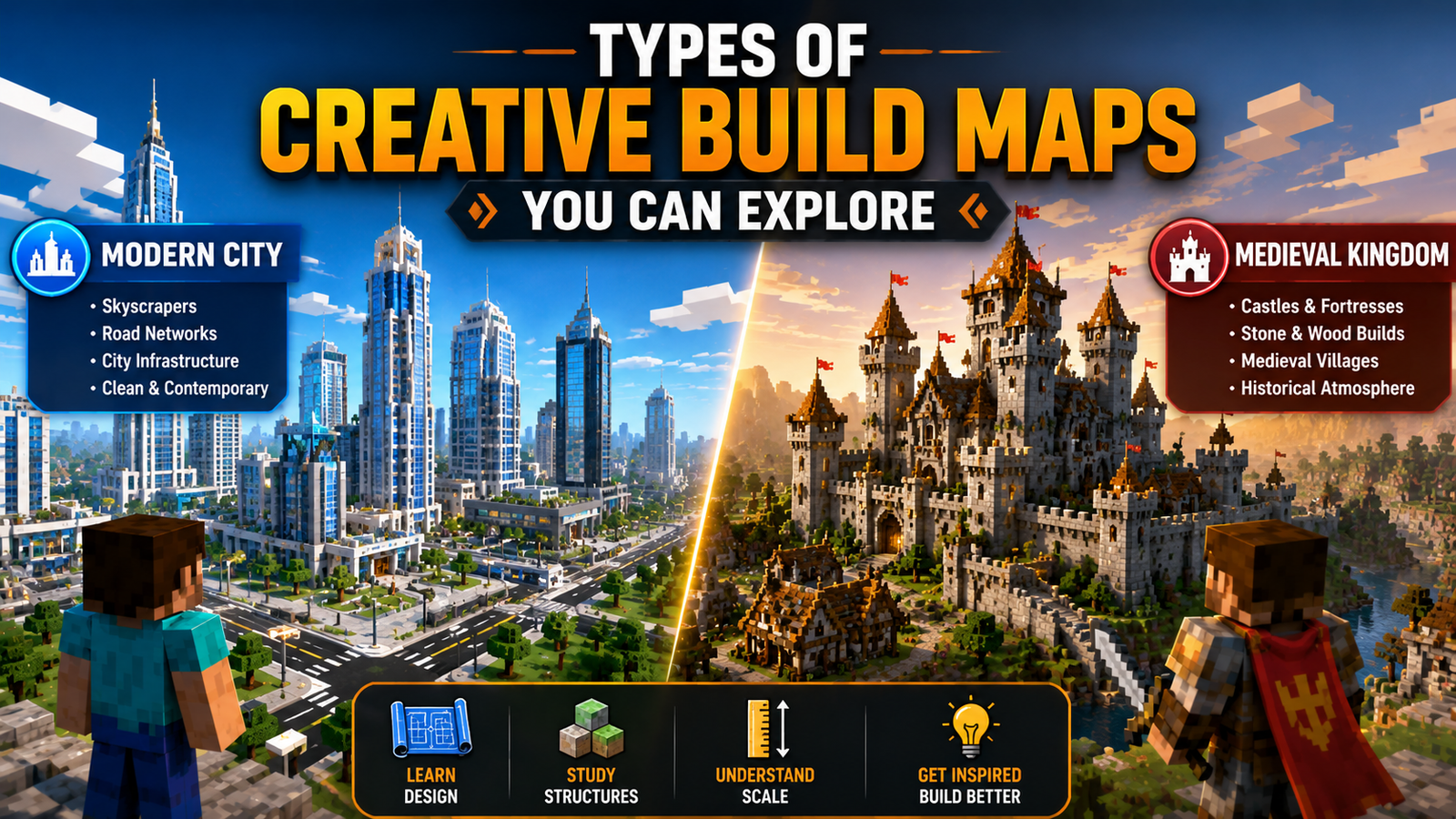
Types of Creative Build Maps You Can Explore
Modern City Build Maps
Modern city maps recreate realistic urban environments with skyscrapers, road networks, and city infrastructure. They use clean materials like white concrete, smooth stone, and large glass panels to capture a contemporary architectural look. Studying how these maps handle grid layouts and urban density teaches you skills that carry directly into your own city-scale projects.
Medieval Kingdom and Castle Maps
Medieval maps use stone variants, wood framing, and mossy textures to create structures that feel genuinely old. The best ones mix mossy cobblestone, stone bricks, and andesite to make walls look weathered and lived in. These maps are excellent for learning historical texturing techniques and understanding how to create depth through material variation rather than geometric complexity.
Fantasy and Adventure Worlds
Fantasy maps use unusual block palettes, prismarine, nether wart blocks, and shroomlights, among them, to create environments that could never exist in reality. Floating islands, ancient ruins, and massive magical trees fill these worlds. They are particularly useful for learning how to push standard block geometry into shapes and forms that break the usual rules.
Futuristic and Sci-Fi Maps
Sci-fi worlds use polished basalt, iron blocks, and colored glass to build sleek high-tech structures. Space stations, cyberpunk city districts, and industrial complexes are common themes. These maps demonstrate how to use lighting and material contrast to create atmosphere in environments that have nothing to do with traditional building styles.
Realistic Architecture Maps
Some builders recreate actual real-world landmarks with mathematical precision. Famous cathedrals, historical monuments, and architectural icons have all been rebuilt in Minecraft using real blueprints and aerial photographs as references. Walking through these maps is a masterclass in scale, proportion, and structural accuracy.
Custom Terrain and Landscape Maps
Not every creative map focuses on buildings. Custom terrain maps use external terrain editors to produce mountain ranges, canyon systems, and coastal cliffs that standard world generation never creates. These landscapes serve as ready-made canvases for builders who want to integrate their structures into genuinely dramatic natural environments.
Mega Build Showcase Worlds
Mega builds are enormous projects that take hundreds or thousands of hours to complete. A sprawling steampunk city, a dragon wrapped around a mountain, a full-scale recreation of a fictional kingdom: these showcase worlds exist primarily to demonstrate what patient, skilled builders can achieve. Visiting them recalibrates your understanding of what is actually possible in Minecraft.
Best Creative Build Maps for Minecraft Players
Creative Maps for Beginners
Simple flat worlds with organized plot grids are the best starting point for new builders. These maps provide clear boundaries, easy navigation, and a manageable scale that does not overwhelm. Many beginner-oriented worlds include labeled tutorial sections covering basic concepts like depth, contrast, and roof shapes, giving new players a structured path to follow.
Advanced Creative Build Maps
Advanced maps feature complex verticality, tight irregular spaces, and detail density that challenge experienced builders. Cities carved into cliff faces, underground caverns turned into living spaces, and multi-layered structural designs all appear in high-end creative worlds. Working inside these environments forces you to adapt your techniques to conditions you would not normally choose for yourself.
Popular Fantasy Building Maps
Fantasy maps inspired by famous books, films, and original lore consistently rank among the most downloaded creative worlds. Full Middle-earth recreations, sprawling elvish forests, and massive underground dwarven fortresses are among the most celebrated community creations available. These maps provide an atmosphere that is difficult to create from scratch and inspires building decisions you would never arrive at independently.
Realistic City and Town Maps
Projects like Greenfield or detailed European town recreations offer fully furnished interiors, underground transit systems, and street-level detail that rivals professional architectural visualization. These maps let you claim empty lots within an established urban environment and build your own contribution to the ongoing project.
Creative Maps for Multiplayer Servers
Server-specific creative worlds include plot management systems that assign building areas to individual players and prevent conflicts between builders. Server owners use these maps for building competitions, community events, and collaborative holiday builds. They are also excellent places to meet other serious builders and get direct feedback on your work.
Community-Favorite Creative Worlds
Community favorites have earned their reputation through consistent quality, careful maintenance across multiple Minecraft versions, and attention to detail that elevates them above the average upload. These maps set the practical benchmark for what skilled individual creators can produce, and studying them gives you a clear target to aim for.
How to Download and Install Creative Build Maps?
Finding Safe and Trusted Download Sources
Stick to Planet Minecraft, CurseForge, and official creator websites when looking for world files. These platforms moderate submissions, display user ratings, and track download counts that reliably indicate map quality. Avoid third-party file-sharing links shared in unmoderated forums or comment sections, particularly those that route you through multiple advertising pages before reaching the actual file.
Installing Maps on Minecraft Java Edition
Download the map file and extract it from its compressed folder using any standard archive tool. Press Windows Key plus R, type %appdata%\.minecraft\saves, and hit enter. Drop the extracted map folder directly into that directory. Restart Minecraft, open Single Player, and your new world appears in the list. Make sure the folder containing level.dat is what you place in saves, not a parent folder wrapping around it.
Installing Maps on Minecraft Bedrock Edition
Maps packaged as .mcworld files install automatically on Windows when you double-click them. Minecraft launches and handles the import on its own. On Android and iOS devices, open the .mcworld file using a file manager app and select Minecraft as the target application. The game places it directly into your playable worlds menu without additional steps.
Solving Common Installation Problems
If your map does not appear after installation, the folder structure is almost always the issue. Open what you placed in the saves folder and confirm that level.dat sits directly inside, not inside a nested subfolder with the same name. Corrupted downloads are the second most common problem. Delete the broken folder and download the file again from the original source.
Ensuring Version Compatibility
Every map description on a reputable platform lists the Minecraft version it was built for. Running an old map on a newer version sometimes causes texture gaps or broken sections where new chunk generation meets old terrain. If necessary, use the Minecraft Launcher to roll back to the correct version. Most maps built on older versions load in newer ones without major problems, but the reverse is not reliable.
How to Choose the Right Creative Build Map?
Matching Maps to Your Building Goals
A sci-fi megacity map does nothing for someone trying to learn medieval texturing. Match your download to your actual project goal. If you want to practice small cottages, find a focused village map. If you want to experiment with block palettes without any structural commitment, a clean flat world is what you need. Aligning the map to your goal keeps your session productive.
Understanding Map Size and Complexity
Large worlds are visually impressive but often time-consuming just to explore. If your play sessions are short, a smaller, densely detailed map delivers more value than a massive world where you spend most of your time navigating. Read the map description and study screenshots to understand what you are getting before committing to a download.
Performance Considerations for Large Maps
| Map Type | Approx File Size | System Load | Best Use |
|---|---|---|---|
| Flat Plot World | Under 10 MB | Very Low | Block palette testing |
| Medieval Town | 50 to 150 MB | Low to Medium | Texturing and layout practice |
| Modern Megacity | 500 MB to 1 GB+ | High | Urban design and exploration |
| Custom Terrain Canvas | 200 to 500 MB | Medium | Integrating builds into landscapes |
Maps with millions of placed blocks, active redstone, or large numbers of item frames can cause serious frame rate drops. Check your hardware against the map’s complexity before loading it.
Single-Player vs Multiplayer Creative Worlds
Single-player world files give you complete control. You set the rules, the time of day, the weather, and the building boundaries. Multiplayer creative worlds trade that control for social energy, real-time collaboration, and access to projects you could never build alone. Your preferred playing style should guide which you reach for.
Selecting Maps Based on Skill Level
Starting with an enormously complex map as a beginner often leads to frustration rather than inspiration. Pick something that challenges you slightly without overwhelming you. Progress gradually toward more complex worlds as your skills develop. That incremental approach builds confidence and keeps the process enjoyable rather than discouraging.
Building Inspiration from Creative Maps
Modern Architecture Ideas
Modern creative maps teach restraint. Clean lines, large glass panels, geometric forms, and deliberate negative space work together to create luxury and contemporary aesthetics. Notice how professional builders use leaf blocks and water features to soften hard concrete shapes. Those contrasts are what separate polished modern builds from sterile-looking ones.
Medieval and Historical Designs
Stone variants ground medieval structures at their base before transitioning to wood framing on upper floors. Stairs and slabs used around windows prevent walls from looking flat. These layering techniques turn a simple wooden box into something that reads as a real historical building. Medieval maps are full of these small tricks once you know to look for them.
Interior Design Inspiration
Most builders invest heavily in exteriors and rush through interiors. Creative maps show how banners become curtains, armor stands become furniture, and strategic lighting turns a plain room into a believable living space. Studying interior layouts in professional maps teaches you how to balance open plans with cozy sections that make architectural sense.
Landscaping and Terrain Techniques
Buildings that sit on untouched flat ground always look out of place. Skilled creative maps show you how custom rocks, layered paths, and strategically placed trees connect a structure to its surroundings. Landscaping acts as a visual frame, and mastering it elevates every build you make, regardless of style.
Creative Block Palettes and Color Schemes
You might never think to combine dark prismarine, warped wood, and cyan concrete until you see it done well in someone else’s map. Studying how skilled builders group blocks by hue and texture expands your own visual vocabulary. Restricting yourself to three or four complementary materials consistently produces more cohesive results than using every interesting block you own.
Storytelling Through World Design
A cracked castle wall patched with mismatched stone, a broken wagon on a dirt road, a glowing crystal buried in an old mine shaft: these details suggest history without saying a word. The best creative maps tell silent stories through environmental clues scattered across the world. Learning to think this way transforms a collection of blocks into a place that feels real.
Building Skills Through Creative Maps
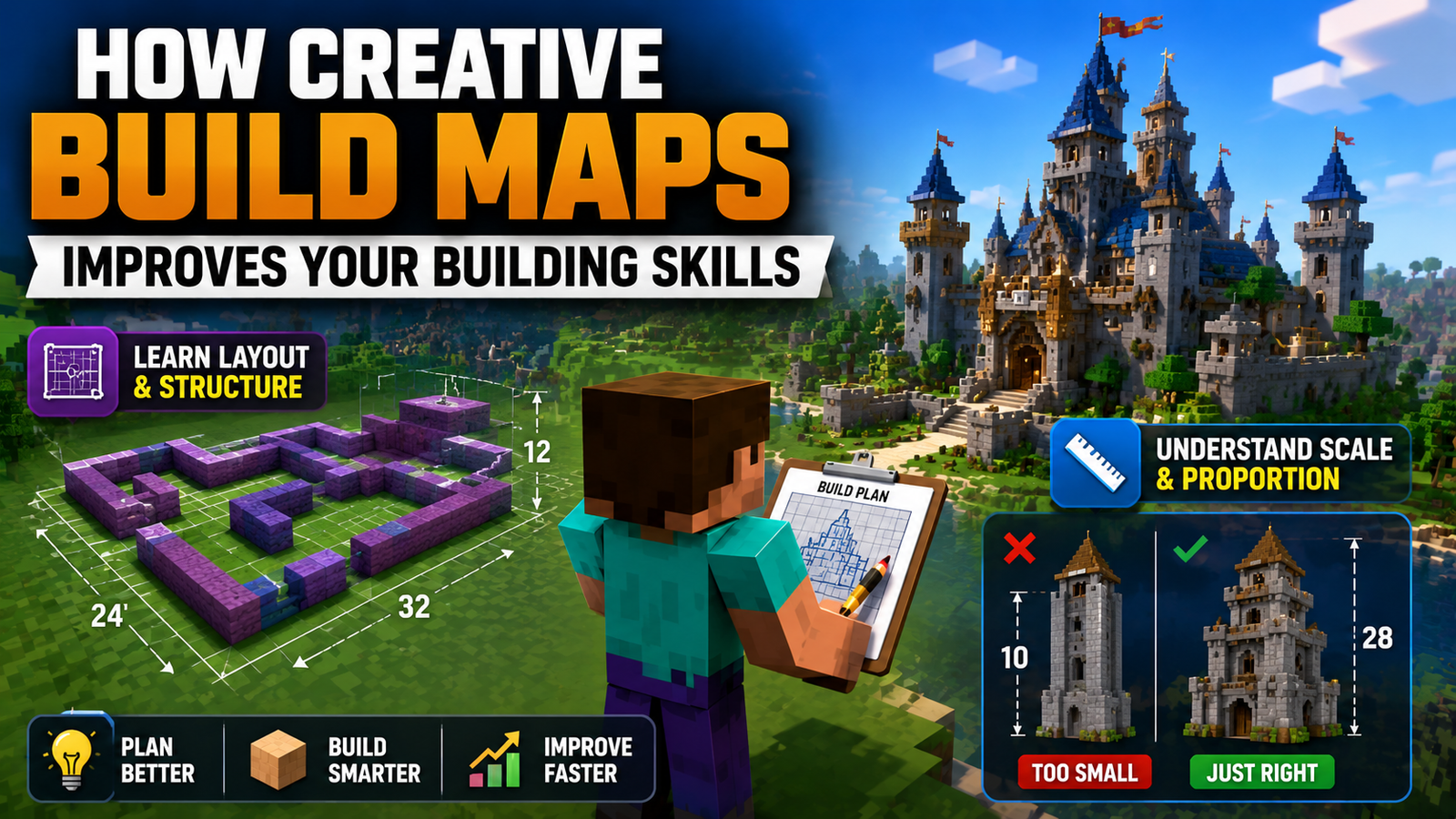
How does Creative Build Maps improve your building skills?
Learning Layout and Structure Planning
Professional builders sketch structural footprints with temporary wool blocks before committing to final materials. Studying unfinished sections of community worlds reveals this planning process in action. Learning to map out your layout before building prevents you from running out of space, boxing yourself into awkward corners, or losing structural coherence halfway through a large project.
Understanding Scale and Proportion
Scale is the hardest thing to calibrate in Minecraft because block dimensions do not perfectly match real-world measurements. Spending time in professional creative worlds recalibrates your intuition. You see exactly how tall a ceiling needs to be to feel spacious, how wide a road needs to be to look like a real street, and how much vertical height a tower needs to look genuinely imposing.
Mastering Detail and Decoration
Flat surfaces look unfinished. Professional maps show how trapdoors, fence gates, wall blocks, and buttons add depth without cluttering the architecture. The key insight is knowing when to add detail and when to let a surface breathe. That balance is what separates polished work from visually noisy builds that overwhelm the eye.
Studying Advanced Building Techniques
Gradient texturing, organic sculpting, and diagonal structures all appear in advanced creative maps. Seeing these techniques used in real builds is far more instructive than any written description. When you can examine the result from every angle and break it apart to understand its construction, the technique becomes genuinely learnable rather than abstract.
Developing Your Own Building Style
The more techniques and aesthetics you absorb from different creative maps, the more informed and distinctive your own decisions become. Most experienced builders describe their style as a synthesis of influences gathered over the years. Mixing what you love from modern, medieval, and fantasy worlds is how you stop copying references and start making something that is unmistakably yours.
Creating Your Own Creative Build Map
Planning the World Before Building
Before placing a single block, decide on your theme, overall size, and intended audience. Is this a solo exploration map or a multiplayer server world? Sketch a rough layout on paper or in a simple drawing tool showing where major structures, terrain features, and roads will sit. That five-minute plan saves hours of tearing down and rebuilding later.
Designing Unique Themes and Concepts
Generic themes produce forgettable maps. An abandoned underground city slowly being reclaimed by nature is more interesting than another standard fantasy castle. An ocean floor metropolis inside glass domes stands out from typical modern cities. The more specific your concept, the more every building decision has a clear reference point, and the more cohesive your final result becomes.
Building Large-Scale Projects Efficiently
Break large projects into milestones. Finish one district before starting another. Design repeatable modular elements like wall segments, street lights, and building facades that you can duplicate and vary rather than rebuilding from scratch each time. WorldEdit’s copy-paste tools make this approach dramatically faster, letting you populate large areas quickly while maintaining visual consistency.
Adding Realism and Immersion
Real stone walls are not perfectly uniform. Real forests have irregular spacing. Real buildings show wear and history. Adding variation to your materials, breaking up too-regular patterns, and suggesting use through small details like worn pathways near doorways or cracked steps near high-traffic areas all contribute to the sense of a world that actually exists rather than one that was just assembled.
Testing and Refining Your Map
Switch to adventure or survival mode and walk through your map as if you have never seen it before. Ask a friend to explore it without any guidance and watch where they go and where they stop. The sections that confuse or bore a fresh visitor are the sections that need work. Testing with real feedback is the only reliable way to know whether your map delivers the experience you intended.
Sharing Your Map with the Minecraft Community
Pack your world folder into a zip file, or convert it to an .mcworld file for Bedrock players. Write a clear description listing the theme, Minecraft version, and any mods or resource packs required. Take screenshots using shader packs to show your work at its best. Upload to Planet Minecraft or CurseForge, respond to comments, and update the map when major game versions are released.
Essential Tools and Resources for Creative Builders
Using WorldEdit for Faster Building
WorldEdit lets you select regions and fill, replace, copy, or rotate their contents using simple commands. Operations that would take hours of manual work finish in seconds. Learning even a handful of basic WorldEdit commands permanently transforms how fast you can work at large scales. It is the single most impactful tool available to Java Edition builders.
Structure Blocks and Templates
Structure blocks are a built-in Minecraft feature available on both Java and Bedrock. They save a defined region of your world as a template and let you paste it anywhere else instantly. For any project with repeating elements, detailed interiors, or custom trees that need to appear multiple times, structure blocks are the fastest mod-free solution available.
Resource Packs for Better Visualization
A high-resolution resource pack changes how every block in your build looks. Modern texture packs make concrete seamless and glass completely transparent. Rustic packs add historical grit to stone and wood. Choosing the right pack during construction helps you visualize the final result more accurately and make better material decisions throughout the building process.
Shader Packs for Stunning Presentations
Shaders add realistic lighting, dynamic shadows, water reflections, and volumetric atmosphere to Minecraft. Options like BSL Shaders, Complementary Shaders, and Sildur’s Vibrant Shaders are free and work with OptiFine on Java Edition. For screenshots and video content, shaders are the difference between a good-looking build and one that looks like professional architectural visualization.
Helpful Mods for Creative Building
Axiom offers real-time terrain sculpting brushes and advanced selection tools directly within a custom in-game interface. Litematica lets you load schematic files as ghost structures to build against for accurate reference. Tweakeroo adds quality-of-life building improvements. Together, these tools give you control over your world that standard Minecraft tools simply cannot match.
Common Mistakes to Avoid When Using Creative Build Maps
Building Without a Clear Plan
Starting a large project without defined proportions almost always produces structural problems midway through. You run out of space, the layout grows inconsistent, or the scale shifts between sections. Marking out your footprint with temporary blocks before committing to final materials takes minutes and prevents hours of corrections later.
Ignoring Scale and Proportion
A six-block-tall door on a small cottage looks absurd. A massive cathedral with tiny windows loses all sense of grandeur. Scale errors are the most visible mistakes in any Minecraft build, and they are difficult to fix once construction is well underway. Keep checking your proportions against the player model throughout the building process, not just at the end.
Overusing Decorative Blocks
More block types do not automatically mean more detail. Packing too many contrasting textures, stairs, buttons, and decorative elements onto a single surface creates visual noise that works against the architecture. Effective detailing comes from restraint. Choose your primary materials, stick to them, and add complexity through shape rather than by introducing more block types than the build can absorb.
Poor Terrain Integration
A beautifully detailed building sitting on an untouched flat square of land immediately reads as artificial. Foundations need to interact with the terrain around them. Blend dirt edges, add natural stone outcroppings near walls, place worn pathways connecting buildings to roads, and work with the landscape rather than ignoring it.
Neglecting Performance Optimization
Active redstone, large numbers of item frames, campfires, and complex armor stand arrangements all affect game performance. If you plan to share your world files, consider what hardware your audience is likely to use. Test your map on modest specs before uploading, and simplify entity-heavy areas if the performance impact is severe.
Forgetting World Backups
A single incorrect WorldEdit command can overwrite a massive section of your build instantly. Power outages and file corruption happen without warning. Copy your world folder to a separate location at the end of every building session. This habit costs thirty seconds and can save weeks of work.
Creative vs Survival Builds
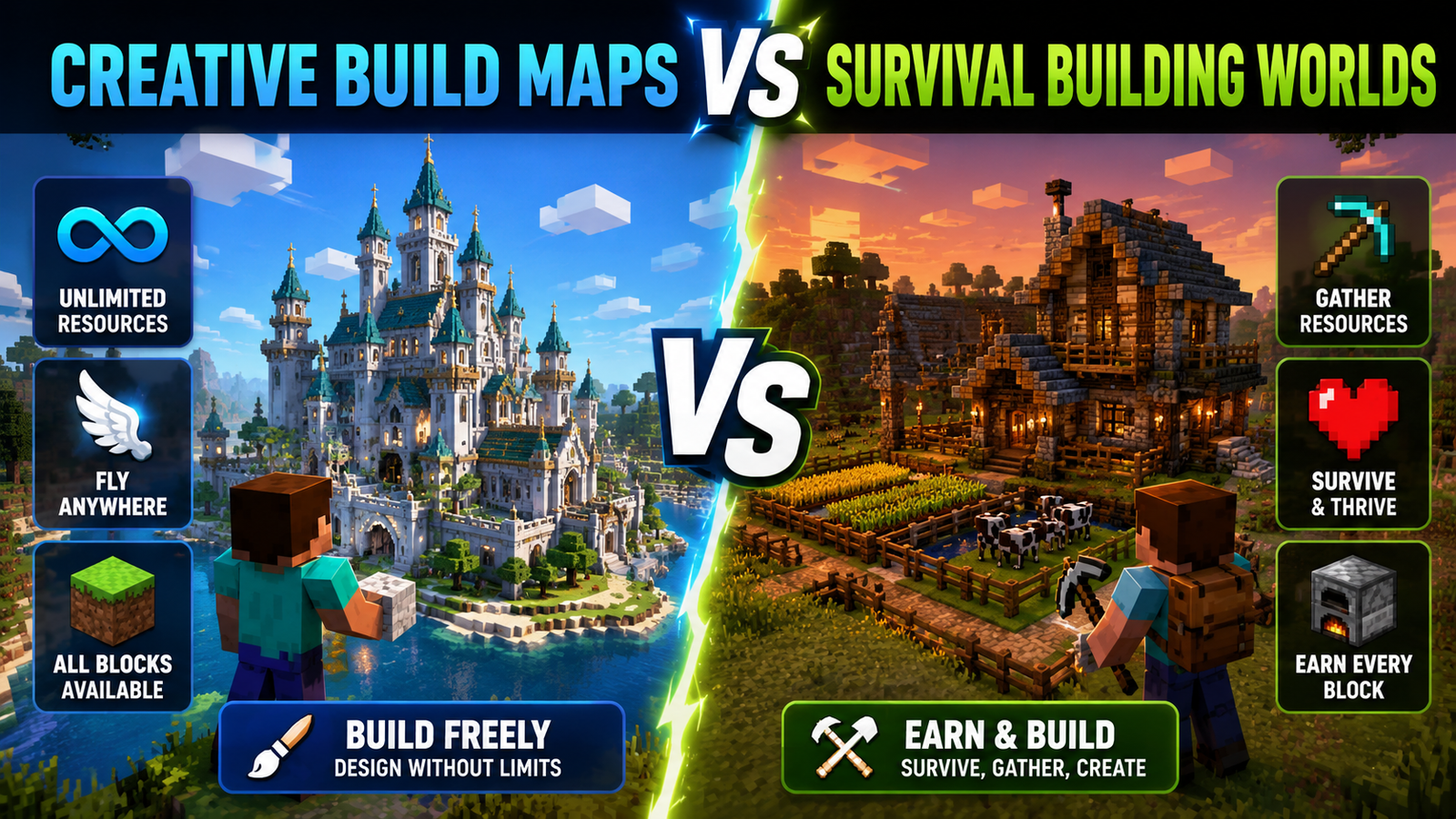
Creative Build Maps vs Survival Building Worlds
Key Differences Between the Two Modes
Creative maps remove every resource constraint and survival mechanic to focus entirely on design. Survival worlds integrate building into the core gameplay loop, tying every block you place to materials you personally gathered. The result in each mode reflects that difference: creative builds tend to be larger and more architecturally ambitious, while survival builds tend to feel more personal and earned.
Advantages of Creative Build Maps
Scale, speed, and access to every block palette are the core advantages. Creative maps let you prototype rapidly, attempt projects that would never be practical in survival, and work with professional tools like WorldEdit that multiply your efficiency. For any project above a certain size, creative mode is not just faster; it is the only realistic option.
Benefits of Survival Building
Finishing a large structure after manually gathering every material creates a sense of accomplishment that creative mode cannot replicate. The constraints of survival also force creative problem-solving. Working with what you have available often produces unexpected and genuinely original design decisions that total freedom would never generate.
Which Option Is Best for Different Players
Content creators, server builders, and anyone working on large collaborative projects benefit most from creative maps. Players who enjoy the full Minecraft experience and find meaning in the resource-gathering loop are better served by survival. Many experienced builders use both, treating creative mode as a design workshop and survival as a personal ongoing project with a different kind of satisfaction attached to it.
Future of Creative Building in Minecraft
Emerging Building Trends
Hyper-realistic gradient texturing is one of the biggest current trends, with builders using dozens of block types to simulate weathering, shadows, and material aging. Large collaborative projects are also becoming more organized, with teams using project management tools alongside Minecraft to coordinate work across dozens of contributors building simultaneously.
Realistic Architecture Projects
Teams are now attempting one-to-one scale recreations of real-world cities, a project scale that was genuinely impossible on older hardware. These builds function as interactive digital archives, letting players explore famous locations and historical sites from anywhere in the world.
Community Mega Builds
Modern mega builds go far beyond impressive exteriors. Fully realized interior designs, deep narrative lore embedded in environmental details, and custom resource pack integration are now standard components of serious community creations. These projects are evolving from game maps into standalone interactive art.
Advanced Terrain Creation
External terrain editors and modern in-game sculpting mods are making sophisticated landscape design accessible to builders without technical backgrounds. Smooth geological formations, realistic river valleys, and dramatic coastal terrain are becoming standard starting points for high-end creative maps rather than ambitious exceptions.
Creative Building in Future Minecraft Updates
Every major update expands the building palette. Recent additions, including mud bricks, tuff variants, copper oxidation states, and bamboo wood, have all been quickly absorbed by the building community. Future updates promise expanded world height, better block rendering performance, and improved structure management tools that will continue raising the ceiling for creative maps.
Frequently Asked Questions
What Are Creative Build Maps in Minecraft?
Creative build maps are custom world files built for construction and architectural design. They give players immediate access to every block in the game, flight, and organized building environments without any survival restrictions or resource limitations.
Are Creative Build Maps Available for Java and Bedrock Edition?
Yes, maps exist for both editions, though the world file formats differ. Always confirm the edition compatibility listed in the map description before downloading to avoid installation problems.
Where Can I Download Creative Build Maps Safely?
Planet Minecraft, CurseForge, and official creator websites are the most reliable sources. These platforms moderate submissions and display ratings and download counts that help you identify quality maps before committing to a download.
Can I Customize Downloaded Creative Build Maps?
Once a map is in your saves folder, it belongs entirely to you. You can add new structures, modify existing ones, change the terrain, or redesign sections to fit your own project goals.
Which Creative Build Maps Are Best for Beginners?
Simple flat plot worlds and small, organized village maps are the best starting points. They provide clear layouts, a manageable scale, and enough structure to guide new builders without overwhelming them.
Can Creative Build Maps Be Used on Multiplayer Servers?
Yes. Server owners regularly upload world files to use as spawn areas, minigame lobbies, and shared building plots. Maps designed for servers include plot management systems that keep multiple builders organized.
Do Creative Build Maps Affect Game Performance?
Large complex maps with millions of placed blocks and heavy entity use can cause frame rate drops. Reducing render distance and closing background applications helps when running demanding worlds.
What Tools Help Create Better Minecraft Builds?
WorldEdit handles mass block operations on Java Edition. Structure blocks provide template functionality on both editions without mods. Shader packs like BSL and Complementary transform how finished builds look in screenshots and video content.
Final Takeaway
Creative build maps represent the most direct path to serious progress as a Minecraft builder. They give you professional-level environments to study, unlimited resources to experiment with, and organized spaces to develop your own projects without any of the friction that survival mode adds. Whether you are downloading your first world file to explore, setting up a multiplayer creative server, or building your own map to share with the community, the tools and resources covered in this guide give you everything you need to move forward. The building community is active, the download libraries are deep, and your next project is waiting.